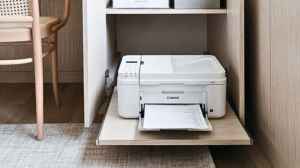
Choosing the right printer often boils down to a classic battle between two giants: Canon and Epson. Both brands have dominated the inkjet market for decades, yet they employ fundamentally different core technologies, particularly in their ink systems, which impacts everything from cost-per-page to print speed and final image quality. This comprehensive guide breaks down the core differences between Canon and Epson printers across three crucial performance metrics, Print Quality, Ink System Efficiency, and Long-Term Reliability, and reviews six top models to help you find the perfect match for your printing needs.
Core Technology: Canon vs. Epson
The central difference lies in the printhead technology:
- Canon: Uses a Thermal Inkjet system. This technology heats the ink quickly, creating an air bubble that forces a drop of ink onto the page. It's known for speed and extremely consistent droplet placement, resulting in sharp, excellent text and vibrant photos.
- Epson: Uses a Piezoelectric Inkjet system. This technology applies an electrical charge to a crystal, causing it to vibrate and expel a drop of ink. Since it doesn't use heat, it is often marketed as "Heat-Free Technology," consuming less power and theoretically putting less stress on the printhead over time.