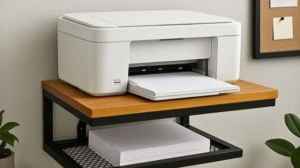
Choosing a good printer for home use depends entirely on understanding your specific printing needs. Simply buying the cheapest or fastest model can lead to high running costs or dissatisfaction. To select the best home printer, you must first assess what you print: Is it mainly monochrome documents for school, high-volume invoices for a home business, or high-resolution color photos? The decision often boils down to key considerations like laser vs. inkjet technology. Inkjet printers are typically better for vibrant color and photo printing, while laser printers offer superior speed and lower cost per page for high-volume text documents. Furthermore, consider features like Automatic Duplexing (two-sided printing) and All-in-One (Print, Scan, Copy, Fax) functionality to ensure the printer aligns perfectly with your everyday tasks and budget. For a better understanding, let's discuss different types of printers from top brands that will save your time and money in the long run.
How To Choose A Good Printer For Home Use Based on Your Needs?
Selecting a good printer for home use can be a bit complicated with so many types of printers available. Let’s explore some of the best printers for home use and find out which is most ideal choice for your requirements, based on your volume, speed, and printing needs.
Loading...
Loading...
Brother HL-L2440DW(New Launch)Auto Duplex Monochrome Laser Printer
Loading...
The Brother HL-L2440DW is engineered for users who require high-volume, reliable, and cost-effective text printing. As a dedicated monochrome laser printer, it excels at delivering sharp, professional-quality documents quickly, making it ideal for students, administrative work, or home-based professionals needing frequent black-and-white printouts. Its compact design ensures it fits neatly into any small home office setup. A standout feature is the automatic two-sided (duplex) printing capability, which significantly reduces paper costs and saves time. With robust Wi-Fi connectivity and support for mobile printing, it integrates seamlessly into a modern smart home environment, providing a dependable solution where speed and economy are prioritized over color output.
Suitable Use Case: Students, high-volume black-and-white document printing, or small home offices where color is rarely needed.
What Amazon Users are Saying: Users frequently praise its quick warm-up time and low long-term running costs. The reliability of the Wi-Fi connection and the crisp text quality are highlighted as major strengths for daily office tasks.
Specifications:
- Brand:Brother
- Connectivity Technology :USB, Wi-Fi
- Printing Technology :Laser
- Model Name:HL-L2440DW
- Max Print speed Monochrome:30 ppm
Reasons to buy:
✓Excellent cost per page
✓High-speed printing
✓Automatic duplexing saves paper
✓Reliable and durable build
Reason to avoid:
✗Prints only in black and white
01Loading...
Loading...
Canon PIXMA E477 All in One (Print, Scan, Copy) WiFi Ink Efficient Colour Printer for Home
Loading...
The Canon E477 is an affordable and versatile solution perfect for the casual home user who needs a full range of functionality without a large upfront investment. This Inkjet All-in-One device combines printing, scanning, and copying capabilities in a single, space-saving unit. It is particularly noted for its Ink Efficient design, utilizing low-cost FINE cartridges that are economical for users who print occasionally. Featuring Wi-Fi connectivity, it allows for easy printing directly from smartphones, tablets, and cloud services, making it convenient for modern digital life. While print speeds are modest, the quality is suitable for standard documents and basic color graphics. Its simple operation and integrated functions make it a solid choice for general family use.
Suitable Use Case: Low-volume, general home use, students needing occasional color reports, and families who require basic scanning and copying functionality.
What Amazon Users are Saying: Reviewers appreciate the ease of setup and wireless printing from mobile devices. The low price point and the affordability of replacement ink cartridges are often mentioned as the main draws for budget-conscious buyers.
Specifications:
- Brand:Canon
- Connectivity Technology :USB, Wi-Fi
- Printing Technology:Inkjet
- Maximum Print Speed (Colour):4 ppm
- Max Print speed Monochrome:8 ppm
Reasons to buy:
✓Low initial cost
✓Integrated scanning and copying
✓Compact footprint
Reason to avoid:
✗Slower print speeds compared to laser models
02Loading...
Loading...
Brother HL-L3220CDW (New Launch) Automatic Duplex Color Laser LED Printer
Loading...
The Brother HL-L3220CDW is a powerful and compact choice for home professionals or small teams requiring high-quality color printing capability. Unlike traditional laser printers, this model often utilizes LED printing technology which offers comparable speed and quality but in a more compact design. It is a dedicated print-only machine, focusing solely on delivering vibrant graphics and crisp color documents. Its key advantage is the inclusion of automatic duplex printing in color, a feature often reserved for pricier machines. With fast color print speeds and robust paper handling, it efficiently manages demanding color jobs, making it an excellent investment for those who need presentation-quality output regularly without the bulk of a large office machine.
Suitable Use Case: Home-based designers, professionals, or small businesses needing high-quality, high-speed color presentations, marketing materials, and reports.
What Amazon Users are Saying: Users are highly satisfied with the sharpness of the text and the vibrancy of the color prints. The compact size for a color laser-class printer and the fast duplex printing are commonly highlighted features.
Read More Articles From The Others Category
Specifications:
- Brand:Brother
- Connectivity Technology :USB, Wi-Fi
- Printer Output:Colour
- Maximum Print Speed (Colour):18 ppm
- Max Print speed Monochrome:18 ppm
Reasons to buy:
✓High-quality color output
✓Automatic duplexing standard
✓Ideal for professional presentations and reports
Reason to avoid:
✗High cost of toner (especially color toner) for replacement
03Loading...
Loading...
Canon PIXMA E4570 All in One (Print, Scan, Copy) WiFi Ink Efficient Colour Printer
Loading...
The Canon E4570 elevates the home office setup by incorporating features essential for serious remote work, making it a step up from basic AIO models. It is an Inkjet All-in-One that offers printing, scanning, copying, and even faxing capabilities. Crucially, it includes an Automatic Document Feeder (ADF), allowing users to scan or copy multiple pages without manual placement,a significant time saver for processing multi-page documents. The printer supports seamless wireless connectivity and Auto Duplex Printing, combining efficiency with functionality. It uses reliable and reasonably priced ink cartridges, making it economical for moderate home office use where features like fax and multi-page scanning are occasionally necessary.
Suitable Use Case: Home office environments requiring a full-feature device, including fax and the ability to scan/copy multi-page documents (ADF).
What Amazon Users are Saying: The ADF feature is frequently praised as a game-changer for administrative tasks. Users also note its solid performance for everyday printing, though some mention the initial Wi-Fi setup process required patience.
Specifications:
- Brand:Canon
- Printing Technology :Inkjet
- Model Name:PIXMA E4570
- Printer Output:Monochrome , Colour
- Maximum Print Speed (Colour):4.4 ppm
- Max Print speed Monochrome:8.8 ppm
Reasons to buy:
✓Includes ADF and Fax capability
✓Reliable wireless connectivity
✓Compact for its feature set
Reason to avoid:
✗Slower overall printing speed
04Loading...
Loading...
Epson FX-890II Dot Matrix Printer - Monochrome - 9-pin
Loading...
The Epson FX-890II is a specialized industrial-grade printer that stands apart from standard home models. As a 9-pin Dot Matrix (Impact) printer, it operates by striking an ink-soaked fabric ribbon against the paper, making it uniquely suited for continuous, multi-part forms (carbon copies). It is designed for maximum durability and high-speed draft output, offering an exceptionally low cost per page. This printer is not intended for standard text documents or photos but is a workhorse for specific logistical, financial, or billing applications. While loud and slow by modern standards, its ability to handle continuous forms and its longevity make it irreplaceable in niche environments where impact printing is mandatory.
Suitable Use Case: Small businesses, warehouses, or logistics operations requiring printing on multi-part invoice forms, labels, or long-form continuous reports.
What Amazon Users are Saying: Reviewers confirm its robustness and reliability in demanding billing and invoicing environments. It is highly valued for its specialized function of printing carbon copies and continuous forms, acknowledging that it is not a general-purpose home printer.
Specifications:
- Brand:Epson
- Connectivity Technology :Ethernet, USB
- Printing Technology :Dot Matrix
- Max Print speed Monochrome:22 ppm
- Item Weight:7.2 Kilograms
Reasons to buy:
✓Extremely low cost per page
✓Handles multi-part forms and continuous stationery
✓Exceptional durability and lifespan
Reason to avoid:
✗Very noisy operation
05Loading...
Comparison Table of 5 Best Printers For Home Use
|
Feature |
Brother HL-L2440DW |
Canon E477 |
Brother HL-L3220CDW |
Canon E4570 |
Epson FX-890II |
|
Technology |
Mono Laser |
Color Inkjet (AIO) |
Color LED/Laser |
Color Inkjet (AIO) |
9-Pin Dot Matrix |
|
Functionality |
Print Only |
Print, Scan, Copy |
Print Only |
Print, Scan, Copy, Fax |
Print Only (Forms) |
|
Color Support |
No (Monochrome) |
Yes |
Yes (Color/Mono) |
Yes |
No (Ribbon color dependent) |
|
Duplex |
Automatic |
Manual |
Automatic |
Automatic |
N/A |
|
Ideal Volume |
High |
Low |
Moderate/High |
Moderate |
Very High (Draft) |
|
Cost Per Page |
Very Low |
Low (for low use) |
Low (Mono), Moderate (Color) |
Low/Moderate |
Extremely Low (Ribbon) |
|
Home Suitability |
Excellent (Text focus) |
Excellent (General use) |
Good (Pro/Design focus) |
Excellent (Home Office focus) |
Not Suitable (Specialized) |
Major Types of Printers and Suitability
Understanding printer technology is key to choosing the right fit. Different mechanisms cater to different needs for speed, quality, and cost.
|
Printer Type |
Primary Technology & Method |
Suitable Use Case |
|
Inkjet |
Sprays liquid ink through microscopic nozzles onto the page. |
Photo printing, vibrant color graphics, general-purpose home use (low to moderate volume). |
|
Laser/LED |
Uses toner powder fused onto paper via heat and static electricity. |
High-speed, high-volume text documents, professional monochrome or color reports (low cost per page). |
|
All-in-One (AIO) |
Combines printing with scanning, copying, and often faxing. |
Home offices, families needing versatility, consolidating multiple devices into one. |
|
EcoTank/MegaTank |
Uses refillable ink tanks instead of cartridges. |
Extremely high-volume color printing, users prioritizing ultra-low cost per page. |
|
Dot Matrix |
Uses pins to strike an inked ribbon onto the paper (Impact printing). |
Specialized applications like multi-part forms, invoices, logistics, and continuous stationery. |
Read More: Best Printers For Home Use in 2025: Models Known For Printing and Affordability
Disclaimer: At HerZindagi, we prioritize providing the up-to-date information on the latest trending commodities and goods. This Article is written and vetted by our in-house category authors in sync with the Google guidelines on product reviews and shoppable content. HerZindagi is in an associate partnership, so we may earn a part of the revenue when you make a purchase. We shall not be liable for any claim under applicable laws, including but not limited to the Consumer Protection Act, 2019, concerning the products. The products listed in this article are in no particular order of priority.
Loading...
Loading...
Faq's
- What is the difference between Inkjet and Laser printers for home use?+Inkjet printers are generally cheaper to buy and excel at producing high-quality color prints and photos, making them great for general family use. However, their ink cartridges can be costly if you print frequently. Laser printers are better for high-volume text printing, offering faster speeds and a lower cost per page for monochrome documents using toner powder. If you print mostly documents, choose laser; if you print photos, choose inkjet.
- Is an All-in-One (AIO) printer worth it for a home setup?+Yes, for most home users, an AIO printer is highly recommended. It consolidates a printer, scanner, and copier into one device, saving space and money. Features like the Canon E4570’s Automatic Document Feeder (ADF) are extremely useful for students or remote workers who need to scan or copy multi-page assignments or contracts efficiently.
- Do ink cartridges dry out if I don't use my printer often?+Yes, standard liquid ink cartridges in inkjet printers can dry out or clog if left unused for long periods (several weeks to months). If you print very infrequently, a laser printer is often a better choice, as toner powder does not dry out, ensuring your printer is ready when you need it.
- How can I determine the true cost of a printer?+The true cost is the Total Cost of Ownership (TCO), not just the purchase price. TCO includes the initial price plus the running cost of consumables (ink or toner). To calculate it, divide the cartridge/toner price by the estimated page yield to get the Cost Per Page (CPP). A cheap printer with expensive ink will have a higher TCO than a more expensive printer (like the Brother HL-L2440DW) with a very low CPP.