Top 5 Office Laptops Under ₹60,000 for Meetings, Emails, Excel and Multitasking

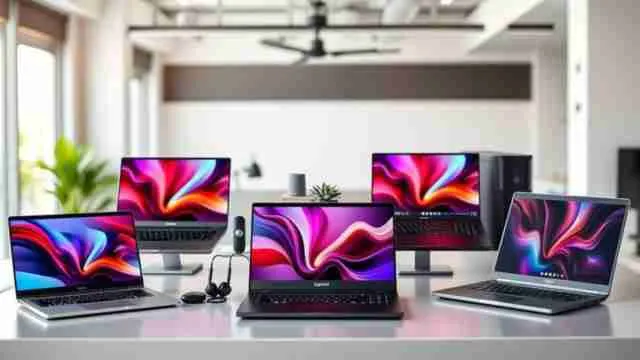
Office laptops under ₹60,000 can easily manage video calls, Excel sheets and heavy multitasking in 2026 and many brands like HP, Lenovo, Dell, Acer and ASUS pack enough RAM, storage speed and battery backup to keep a full workday running without lag or overheating.

Office Laptops Under ₹60,000 for Meetings and Multitasking

Buying a laptop for office work is not just about picking a familiar brand name as most professionals need a machine that can survive back to back video meetings, heavy Excel sheets and constant tab switching without turning slow by afternoon. That is where the real difference between a budget laptop and a proper business laptop shows up.

A good workstation for daily office tasks needs decent RAM, a fast SSD and a battery that does not die halfway through a shift as screen clarity and keyboard comfort matter just as much when you are typing reports for hours. 

This list looks at five reliable picks that balance performance and price well so check out these office laptops under ₹60,000 to find one that fits your daily workload.

You can also look at AI laptops that can ease your work and strengthen your creativity. 

Why RAM and Battery Life Decide Your Workday More Than the Brand

Most people shopping for office laptops under ₹60,000 focus on the brand sticker first and the features later and that order should really be flipped. 

A laptop with 8 GB RAM and a slower processor will start lagging the moment you open Excel with several sheets, keep Teams running and have ten Chrome tabs open at once. 

This is the exact combination that defines a normal workday for most office employees, and it is where a lot of budget laptops quietly fail.

What actually holds up during a full day of office technology use:

  • RAM of 8GB or higher, ideally upgradeable, so multitasking between spreadsheets, email and video calls does not choke the system
  • SSD storage instead of HDD, since it directly cuts down boot time and file loading during meetings
  • Battery life of 6 hours or more on a single charge because not every office desk has a plug point nearby
  • A processor from Intel's 12th gen or AMD's Ryzen 5000 series onward which will handle virtual meeting software like Zoom and Teams without the fan running loud
  • A matte or anti-glare display which matters more than people expect during long hours under office lighting

There is also a quieter factor that often gets ignored: thermal design. 

A laptop that heats up fast during a two hour client call is not built for daily office use no matter how good its spec sheet reads. 

Reviewers and IT teams who handle bulk laptop procurement often mention this as the real gap between a laptop that looks good on paper and one that actually survives a year of daily meetings.

Note: If your work involves frequent travel between home and office, weight also becomes a genuine productivity factor and not just a comfort one as a laptop under 1.5 kg makes a real difference over months of carrying it daily.

Read more articles from the gadget zone section. 

Loading...

Vetted Options

Every product we recommend is carefully selected through a thoughtful blend of primary research and in-depth analysis of trusted sources.

  • Anti Glare Coating

    Lenovo IdeaPad Slim 3 Laptop

    At a Glance

    • 16GB RAM with 512GB SSD for smooth multitasking
    • AMD Ryzen 5 processor built for office workloads
    • Battery life stretches up to 9 hours
    • Backlit keyboard and anti glare FHD display

    Built for Long Work Days Without Battery Anxiety

    This one feels like the laptop you buy when you are tired of charging your device by lunchtime and the 16 GB memory keeps Excel sheets, email and a video call running side by side without any visible slowdown which is honestly the biggest daily frustration with cheaper machines. 

    The screen has an anti glare finish that helps a lot if your desk sits near a window, and the keyboard lighting comes in handy for those early morning or late evening work stretches. 

    Specification Information’

    • Brand: Lenovo
    • Model: IdeaPad Slim 3
    • Colour: Arctic Grey
    • Warranty: 1 Year On Site plus 1 Year Accidental Damage Protection
    • ASIN: B0GSRGMG8D

    Pros

    • Strong all day battery
    • Smooth multitasking power

    Cons

    • RAM not upgradable
    • Integrated graphics only

    Who Should Avoid This Model?

    If your work involves video editing or design software that needs a dedicated graphics card, this laptop may not be the right fit since the graphics here are purely integrated.

    01
  • Backlit Keyboard

    HP 15 Laptop

    Quick Snapshot

    • Fast charging battery, roughly 50 percent in 45 minutes
    • FHD camera with a physical privacy shutter
    • 12th Gen Intel processor with Turbo Boost
    • Wi-Fi 6 for stable virtual meetings

    The Laptop That Charges Fast and Keeps Video Calls Private

    What stands out here is how this laptop fits into a rushed morning and you do not always get time for a full overnight charge before a meeting heavy day and the fast charging support genuinely helps when you are running late. 

    The camera shutter is a small addition that a lot of office laptops skip, but if you care about privacy during work from home hours and it makes a real difference. 

    It will handle email, spreadsheets and browser tabs comfortably and the anti glare screen keeps things easy on the eyes through long calls. 

    Specification Information

    • Brand: HP
    • Model: HP Laptop
    • Colour: Silver
    • Warranty: 1 Year Onsite Warranty
    • ASIN: B0GF8BZ3G2

    Pros

    • Fast battery charging
    • Privacy camera shutter


    Cons

    • Lower base RAM
    • Shorter battery runtime

    Who Should Avoid This Model?

     If you regularly work with large spreadsheets or multiple heavy programs together, the 8GB RAM could feel tight, so someone with a memory heavy workflow may want a higher variant instead.

    Read more from HZ picks section.

    02
  • Our Core Values

    Transparent, Honest Reviews

    We provide straightforward insights into each product's strengths and weaknesses, so you can make confident, informed decisions.

    Trusted Brands Priority

    We focus on products from reliable brands known for quality, consistency, and customer satisfaction.

    Smarter Value for Your Money

    We highlight products that strike the perfect balance between cost, quality, and performance, so you get true value without the extra cost.

  • 120 Hz Display

    Dell 15 (Previously Inspiron) Laptop

    At A Glance

    • 16GB RAM with a 120Hz FHD display
    • Narrow border IPS panel for a wider view
    • 14th Gen Intel Core 3 processor
    • Comes bundled with Office 2024

    A Smoother Screen That Makes Daily Office Work Feel Less Tiring

    The 120 Hz refresh rate is not something you usually expect at this budget and it genuinely makes scrolling through long reports or switching between browser tabs feel less sluggish on the eyes. 

    Add the 16 GB RAM into the mix and this becomes a laptop that copes well with a cluttered workflow, whether that means ten tabs, a spreadsheet and a document open together and the narrow bezel design also gives the screen a slightly larger feel without the laptop itself becoming bulky. 

    Specification Information

    • Brand: Dell
    • Model: Dell 15
    • Colour: Carbon Black
    • Warranty: 1 Year
    • ASIN: B0GV1L119H

    Pros

    • Reliable port variety
    • Office suite included

    Cons

    • No backlit keys
    • No Bluetooth support

    Who Should Avoid This Model?

    If backlit typing at night is a must for you this model skips that feature entirely so it may not suit anyone who works late in dim lighting often.

    03
  • Windows 11 Home

    Acer Aspire Lite Laptop

    At A Glnace

    • Metal body build with an 8 hour battery
    • RAM upgradable up to 64GB later
    • 13th Gen Intel Core i3 processor

    The Budget Pick That Lets You Add More Memory Later

    This one makes sense if you want to start small and scale up later without buying a whole new machine and the base 8 GB RAM handles regular office use just fine and since the memory slot supports an upgrade up to 64 GB it will gives you room to grow if your workload gets heavier down the line. 

    The metal body also gives it a sturdier feel than most laptops around this price which matters if it travels with you often between home and office and battery life comfortably covers a working day and the numeric keypad is a nice touch for anyone dealing with regular data entry.

    Specification Information

    • Brand: Acer
    • Model: Aspire Lite
    • Colour: Steel Gray
    • Warranty: 1 Year Manufacturer
    • ASIN: B0DB1SDB87

    Pros

    • Upgradable memory slot
    • Sturdy metal build

    Cons

    • Basic 720p webcam
    • TN panel viewing angles

    Who Should Avoid This Model?

    If sharp colour accuracy matters for your work such as reviewing images or design files the TN panel here may not be right since viewing angles and colour depth stay fairly basic.

    04
  • Detachable

    ASUS Chromebook CM32 Laptop

    At A Glance

    • Detachable touchscreen design at just 0.64 kg
    • 120 Hz refresh rate on a 12.1 inch display
    • Chrome OS built for browser based work

    The Lightest Option for Those Who Work Mostly Through the Browser

    If most of your office day happens inside Gmail, Google Sheets or a browser based dashboard, this Chromebook covers that need without any excess weight to carry around and it can into a bag without you noticing and the detachable design means it can double up as a tablet during a quick meeting or while reading through documents. 

    It boots fast, wakes up instantly and does not demand much patience from the user which is honestly rare for a budget device. It is not built for heavy software but for cloud based office tasks it holds up well.

    Specification Information

    • Brand: ASUS
    • Model: Chromebook
    • Colour: Cloud Titanium
    • Warranty: 1 Year Global and Onsite Domestic Warranty
    • ASIN: B0H2DP9SRC

    Pros

    • Extremely light build
    • Fast Chrome OS boot

    Cons

    • Limited local storage
    • Not for heavy software

    Who Should Avoid This Model?

    If your work depends on desktop software like Excel macros or offline heavy applications Chrome OS may not be right since it is built mainly around browser based tools.

    05

Quick Comparison Table

Laptop

Best Suited For

RAM

Battery Life

Standout Feature

Lenovo IdeaPad Slim 3

Long unplugged work sessions

16GB

9 hours

Longest battery in this list

HP 15

Frequent video calls on the move

8GB

6 hours

Fast charge and privacy camera shutter

Dell 15

Heavy multitab daily use

16GB

7 hours

120Hz smoother display

Acer Aspire Lite

Buyers planning a future RAM upgrade

8GB (expandable)

8 hours

Upgradable up to 64GB

ASUS Chromebook CM32

Cloud-based light office work

8GB

Rated 42Wh

Lightest and most portable build

One editorial note worth adding here-buyers often judge office laptops by processor generation alone but for daily meetings, Excel work and multitasking, battery consistency and RAM headroom usually matter more day to day. 

Final Verdict

Office laptops under ₹60,000 have come a long way in handling real work, not just basic browsing and many brands like HP, Lenovo, Dell, Acer and ASUS now offer enough RAM, storage speed and battery life for meetings, Excel work and multitasking. 

So, picking up the right one depends less on the logo and more on how well the specs match your actual daily workload.

Read more: 

Disclaimer: At Her Zindagi Your Picks, we prioritize providing up-to-date information on the latest trending commodities and goods. Links in this article are affiliate links. Please note that our product recommendations are based on independent research and analysis however, Her Zindagi Your Picks shall not be held liable for any claims, damages, or disputes arising under applicable laws, including the Consumer Protection Act, 2019. Any issues regarding product quality, delivery, or warranties must be directed to the respective manufacturer or seller. Furthermore, the products featured in this article are organized for reader convenience and are listed in no particular order of priority or ranking.

Faq's

  • Which brand is best for office laptops under ₹60,000 for daily multitasking?
    HP, Lenovo, Dell, Acer and ASUS all make reliable options in this range and the right pick depends on whether you prioritise battery life, display quality or build sturdiness for your specific office routine.
  • Is 8GB RAM enough for office work involving Excel and video calls?
    Yes, 8GB RAM handles Excel sheets, email and one video call comfortably and if you regularly run multiple heavy apps together, upgradeable RAM or a 16GB option gives more breathing room for smoother multitasking.
  • Do budget business laptops support secure office data handling?
    Most modern budget laptops now include fingerprint login, Windows Hello and basic encryption support and these data security features are fairly standard even in the sub ₹60,000 range, though enterprise level security still needs IT configuration.
  • How long should a battery last on a good office laptop?
    A dependable office laptop should offer at least 6 hours of real world battery life and this will covers a typical workday with meetings and document work without needing a charger nearby at all times.
  • Are budget laptops good enough for long term office use?
    Yes, as long as the RAM, SSD and battery specs are solid and productivity tools and office software do not need premium hardware, just a well balanced budget laptop that avoids slowdowns during regular workstation tasks.

Loading...

Loading...