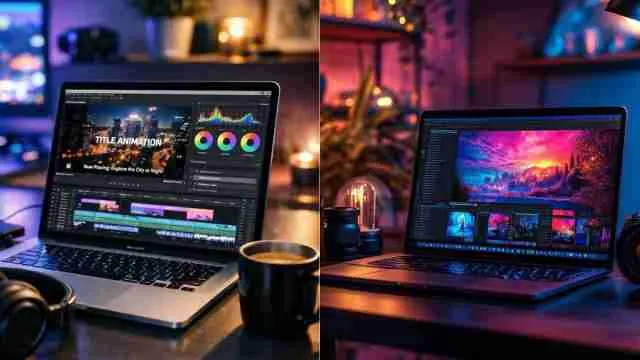
5 High Performance Video Editing Laptops for 4K Content Creation: Go To Picks For Youtubers, And Working Professionals

Video editing laptops built for 4K work need serious GPU power, colour-accurate screens and fast storage and here we are explaining the main features by analysing five models that will handle heavy timelines without lag whether you are a YouTuber or a full time editor.

High Performance Video Editing Laptops for 4K Content Creation

High-performance laptops will definitely tackle all your rendering issues, as regular laptops choke on 4K footage because they were never built for it. Editing software like Premiere Pro and DaVinci Resolve needs a strong GPU fast RAM and a display that shows true colours, not washed-out ones. 

Thermal management also plays a bigger role than most buyers realise since sustained rendering pushes a machine harder than gaming ever does. For YouTubers shooting on the go and professionals reducing client work in an office this list covers laptops that balance power with portability. 

Each pick here has been chosen for real editing performance and not just specifications numbers!

Full-Fledged Comparison of Video Editing Laptops 

Choosing the right video editing laptop will come down to balancing GPU power, RAM, and storage speed, and here I have curated the long feature comparison table for you to get about all models. 

Laptop Model

Recommended Feature

Key Strengths

Ideal Creator Target

1. Apple MacBook Pro 16" (M3/M4 Max)

Unified Memory: 36GB–128GB

Industry-leading battery efficiency

YouTubers and filmmakers needing maximum mobility 

2. ASUS ProArt P16 (H7606)

CPU: AMD Ryzen AI 9 HX 370

Creator-first design with physical ASUS Dial for Adobe apps.

Serious 4K video editors

3. ASUS ROG Zephyrus G16

CPU: Intel Core Ultra 9 / AMD Ryzen AI

High-refresh-rate OLED panel 

YouTubers who also stream or play high-end games 

4. Dell XPS 16 / Precision Workstation

CPU: Intel Core Ultra 9 / Core i9

ISV-certified drivers ensure extreme stability 

Working professionals

5. Lenovo Legion Pro 7 / Slim 7 OLED

CPU: AMD Ryzen 9 / Intel Core i9

Exceptional thermal headroom

Editors prioritizing maximum raw GPU power 

Understanding What Actually Slows Down Your 4K Timeline

Most people blame their laptop's processor when a timeline lags, but that's only half the story as having tested and researched editing workflows extensively, the real cause is usually a mismatch between GPU power, storage speed, and RAM working together. 

Here's what actually determines smooth 4K editing, based on how these machines perform under real project loads:

  • GPU acceleration

This is what your editing software leans on for effects, transitions, and colour correction as a dedicated GPU with enough VRAM (8GB or higher for 4K work) makes scrubbing through footage feel instant instead of slow.

Note: While basic 1080p editing requires 4GB–6GB VRAM, Vagon's 2026 Premiere Pro Analysis highlights that 8GB to 12GB VRAM is the practical comfort zone for 4K colour grading, multi-cam timelines, and noise reduction. 

  • RAM headroom

16GB is the bare minimum for 4K editing, but 32GB gives you breathing room when you have multiple apps open alongside your editing timeline.

  • Storage speed

An NVMe SSD isn't optional anymore as slow storage creates a bottleneck no matter how good your CPU or GPU is, especially when working with raw 4K files that eat up read and write speeds fast.

  • Thermal management

This one gets overlooked constantly as a laptop that throttles under sustained rendering will slow down mid export, which is frustrating when you're on a deadline.

A Quick Way To Think About It

Your CPU handles the timeline logic, your GPU handles the visual rendering, and your storage feeds both fast enough to keep up and if even one of these lags behind, the whole system feels sluggish, regardless of how premium the laptop looks on paper.

Read more articles from the gadget zone section.

You can also look at AI laptops that can ease your work and strengthen your creativity.

Loading...

Vetted Options

Every product we recommend is carefully selected through a thoughtful blend of primary research and in-depth analysis of trusted sources.

  • Anti-Glare Coating

    HP Smartchoice Victus Laptop

    At a Glance

    • Dedicated RTX 4050 graphics for GPU accelerated video editing
    • 144 Hz display works well for editing and content review
    • 16GB RAM handles multiple editing apps without slowing down
    • Anti glare screen reduces eye strain during long sessions

    Some laptops are built for browsing and emails and this one is built for people who spend hours inside a timeline, waiting on renders and scrubbing through 4K clips. 

    The moment you open a heavy project, the difference shows and effects load without that annoying stutter, and switching between multiple open apps while exporting doesn't bring the whole system to a crawl. 

    The screen brightness holds up fine indoors, though it's worth keeping curtains drawn if working near a sunny window and the keyboard has a nice tactile feel too, which matters more than people expect when typing notes or captions late into the night. 

    Pros

    • Strong GPU power
    • Smooth 144Hz display
    • Fast NVMe storage

    Cons

    • Screen brightness could be higher
    • Bit heavy to carry daily
    • Battery life may not impress

    Why You Should Avoid This Laptop?

    If portability tops your priority list, this one may not be the right fit and at over two kilograms it's built more for a desk setup than a backpack that moves around all day.

    01
  • Visibly Stunning

    Acer Aspire 5 Premium Laptop

    Quick Overview

    • Slim, lightweight build that suits daily carry easily
    • Integrated graphics handle light editing and everyday multitasking
    • 180 degree hinge is useful for sharing the screen quickly
    • AI powered features built into the Copilot key

    This is the kind of laptop that fits into a routine without asking for much attention and it boots quickly, stays cool during regular use and the screen looks sharp enough for reviewing photos or watching back footage before a bigger edit. 

    Weighing close to just over a kilogram, it slips into a bag without adding bulk, which content creators moving between locations will appreciate and the keyboard lights up evenly, useful for late night scripting or planning shoot lists. 

    It will handle trims, colour tweaks, and lighter 4K clips reasonably, but a graphics-heavy timeline with multiple layers will test its limits. 

    Pros

    • Genuinely lightweight design
    • Sharp WUXGA display
    • Reliable everyday performance

    Cons

    • Integrated graphics limit heavy editing
    • No dedicated GPU onboard
    • Speakers sound average

    Why You Should Avoid This Laptop?

    Anyone doing frequent 4K colour grading or GPU heavy exports should look elsewhere and without dedicated graphics, this laptop is better suited to lighter creative work rather than a full time editing workstation

    02
  • Our Core Values

    Transparent, Honest Reviews

    We provide straightforward insights into each product's strengths and weaknesses, so you can make confident, informed decisions.

    Trusted Brands Priority

    We focus on products from reliable brands known for quality, consistency, and customer satisfaction.

    Smarter Value for Your Money

    We highlight products that strike the perfect balance between cost, quality, and performance, so you get true value without the extra cost.

  • Backlit Keyboard

    Apple 2025 MacBook Air

    At a Glance

    • M4 chip delivers strong performance without needing a fan
    • Silent operation even during demanding editing tasks
    • Long battery life supports editing sessions away from a charger
    • Display shows accurate colours suited for creative work

    Working on this feels different the moment you notice how quiet it stays under pressure and there's no whirring fan kicking in mid export, no sudden heat building up on your lap during a long session. 

    The screen deserves a special mention here since colours look natural and consistent which matters when you're grading footage and need what you see to match what viewers will actually see later. 

    Battery life stretches comfortably through a full day of editing, scripting and browsing without constantly hunting for a charger and it will pair well for anyone already using an iPhone since files and messages move between devices without extra steps. 

    Pros

    • Silent fanless performance
    • Excellent colour accuracy
    • Long lasting battery

    Cons

    • Base storage fills quickly
    • No dedicated GPU
    • Limited port selection

    Why You Should Avoid This Laptop?

    Editors who juggle massive raw 4K libraries locally without external drives might find the base storage restrictive fairly soon into ownership.

    Read more from HZ picks section.

    03
  • 60 Hz refresh rate

    ASUS Vivobook 15, Smartchoice

    At a Glance

    • Balanced everyday laptop for editing, studying, and office work
    • Anti glare screen keeps visibility comfortable in bright rooms
    • Backlit chiclet keyboard adds comfort for night time typing
    • Fast NVMe SSD speeds up file loading and saving

    There's something reassuring about a laptop that just gets on with the job without any fuss and this one handles regular editing tasks, spreadsheet work and video calls with a steady and dependable rhythm. 

    The keyboard feels spacious due to the 15.6 inch frame and the numeric keypad comes in handy for anyone juggling data alongside creative work and screen brightness fit in the mid range fine for indoor use though it can feel a touch dim outdoors on a sunny afternoon. 

    Storage moves quickly due to the NVMe drive so opening large folders or transferring footage doesn't drag on forever. 

    Pros

    • Roomy comfortable keyboard
    • Fast SSD storage
    • Reliable daily performance

    Cons

    • No dedicated graphics card
    • Screen brightness feels average
    • Battery life is modest

    Why You Should Avoid This Laptop?

    If frequent GPU accelerated rendering or colour grading heavy footage is part of daily work, the integrated graphics here will start to feel limiting fairly quickly.

    04
  • HD Audio

    Lenovo IdeaPad Slim 5 Laptop

    Quick Overview

    • Compact 13.3 inch build ideal for travel and daily commutes
    • WUXGA display offers sharper detail than standard FHD panels
    • Dolby Audio speakers add richness during video playback
    • Fast RAM speed supports smoother multitasking

    Small laptops often mean small compromises, but this one manages to avoid most of them and the compact size makes it an easy grab for anyone heading between a coffee shop, an office desk and back home without feeling like a burden in a bag. 

    The WUXGA screen adds noticeably more detail compared to a regular FHD panel, which becomes obvious once you start reviewing thumbnails or footage closely and sound output surprises too since the Dolby tuned speakers give video playback a fuller feel than expected from such a slim frame. 

    Pros

    • Compact travel friendly size
    • Sharp WUXGA display
    • Rich Dolby tuned audio

    Cons

    • Integrated graphics only
    • Smaller screen for detailed editing
    • Battery details not extensive

    Why You Should Avoid This Laptop?

    Full time video editors handling dense 4K timelines with layered effects will likely outgrow this machine's graphics capability sooner rather than later.

    05

Top 3 Picks From The Above-Mentioned Models

Quick Specification Checklist Before You Buy

Component

Minimum for 4K Editing

Ideal for Heavy Workflows

GPU

4GB VRAM dedicated

8GB+ VRAM dedicated

RAM

16GB

32GB

Storage

512GB NVMe SSD

1TB+ NVMe SSD

Display

100% sRGB

100% Adobe RGB or DCI-P3

Read more:

Disclaimer: At Her Zindagi Your Picks, we prioritize providing up-to-date information on the latest trending commodities and goods. Links in this article are affiliate links. Please note that our product recommendations are based on independent research and analysis however, Her Zindagi Your Picks shall not be held liable for any claims, damages, or disputes arising under applicable laws, including the Consumer Protection Act, 2019. Any issues regarding product quality, delivery, or warranties must be directed to the respective manufacturer or seller. Furthermore, the products featured in this article are organized for reader convenience and are listed in no particular order of priority or ranking.

Faq's

  • What is the minimum RAM needed for smooth 4K video editing on a laptop?
    16 GB RAM works for basic 4 K editing but 32 GB is recommended if you are running multiple apps alongside your timeline or working with heavy colour grading and effects layers regularly.
  • Does GPU matter more than CPU for video editing laptops?
    Both matter, but GPU acceleration handles rendering, effects and colour correction in most modern editing software and a weak GPU will bottleneck your workflow even if the CPU is powerful.
  • Why does my laptop slow down during long export sessions?
    This usually points to thermal throttling and when a laptop can't dissipate heat fast enough during sustained rendering it will reduce performance automatically to protect the hardware, which slows your export speed.
  • Is an NVMe SSD necessary for editing 4K footage?
    Yes, NVMe SSDs read and write data significantly faster than traditional SSDs or hard drives and this matters when handling large raw 4K files that need quick access during editing and rendering.
  • What screen quality should I look for in a video editing laptop?
    Look for panels covering 100% sRGB at minimum, though Adobe RGB or DCI P3 coverage is better for accurate colour grading especially if your work will be viewed across different screens.

Loading...

Loading...