Top SearchesBest Gaming MonitorsLED TV Under 50000Diwali Gadget UpgradesTCL vs Hisense vs Toshiba QLED TVPortable Speakers Under 10,000 LED Soundbars vs Cinematic Audio

Still Using 8GB RAM? These Laptop Upgrades Are Worth a Look

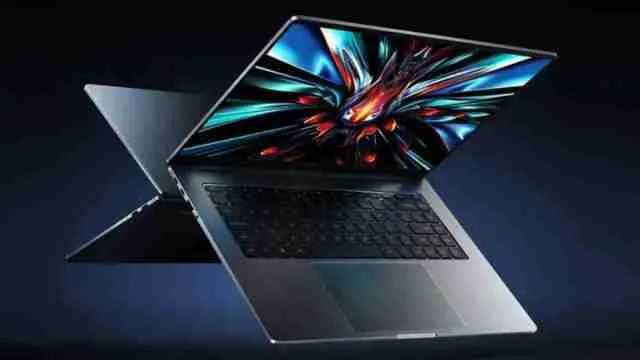
8GB RAM laptops can get stuck with modern multitasking, heavy workflows, and everyday software demands. We have curated the list of brands like HP, Dell, ASUS, Lenovo, Apple and Acer that are now offering 16GB and 32GB setups. If your laptop lags and freezes during basic tasks, these laptops are really helpful for you.

high_ram_laptops
high_ram_laptops

Upgrading from 8 GB RAM is one of the most impactful decisions a laptop user can make right now. Chrome alone consumes 2 to 4 GB on a regular browsing session. Add one video call, a spreadsheet, and a PDF open in the background and your system is already starting to lag. Today's operating systems, web apps, and collaboration tools require more GB to perform smoothly. The machine does not crash, but it just takes three seconds longer to open a tab. The best laptops start utilising RAM differently. 16GB is now the starting point for professionals. 32GB is becoming standard for creators, developers, and anyone working on large design files. Explore our picks of the laptops that help you choose the right model according to your different needs.

Why Should People Buy High RAM Laptops? 

When you face lagging and freezing issues in your model, you probably think that it is because of the processor and old hardware. But a large portion of the slowdown depends on the machine's RAM

The Reason 8GB Feels Slow Now

RAM is your laptop's short term working memory. SO, every app you open, every browser tab you load and every background process your system runs is directly connected to RAM. When it fills up, the system starts using a portion of your storage drive as overflow, which is called 'virtual memory' or a 'page file'. With 8GB, this dropping point occurs quickly and as a result, a heavy combination can easily force the system into constant memory swapping.

16GB vs 32GB: Which One Do You Actually Need

This is the question most people get confused with but here is a practical breakdown to make things clear. 

16GB RAM is the right choice for most professionals, students and everyday users because it can handle office work, video calls, light photo editing and casual multitasking without any hassle. For the majority of people upgrading from 8GB to 16GB can be an improvement that covers daily needs comfortably.

32GB RAM starts making sense when your work involves one or more of the following: video editing in Adobe Premiere Pro, 3D modelling and software development with multiple environments running simultaneously, data analysis with large datasets in tools like Python or R or running graphical systems alongside regular work.

For Gaming: Most modern games run well on 16GB, but if you play games while streaming, recording, and running a browser in the background, 32GB removes the problem entirely.

Read more articles from the gadget zone section. 

01

Anti-Glare Coating

HP Smartchoice Victus Laptop

Check Price on Amazon

What real-life problem does it solve?

Most gaming laptops in this segment force you to choose between RAM and GPU. HP solved this issue because the Victus comes with 24GB, which is generous for a machine running an RTX 3050. That extra RAM means the system handles background tasks and browser tabs.

Technical foundation

The 14th Gen Intel Core i5 is a high performance chip that can handle heavy tasks. It runs up to 4.8 GHz across 10 cores and 16 threads which supports code compilation and video exports alongside gaming without any hassle. Here, the RTX 3050 can simply handle gaming at medium to high work settings comfortably. Whereas the 62.5 per cent sRGB colour gamut means this screen is fine for gaming and general use.

My Insight for this laptop

Typically, I am not a gamer, but what appeals to me most about any laptop is its ability to download and upload stuff fast, along with zero lags during multitasking (as I handle categories, products and more). This is where the HP SmartChoice model falls perfectly – in the light of something you can rely on when you are loaded with work.

Specifications

Brand
HP
Model
Victus fa2303tx / fa2315tx
Colour
Mica Silver
Warranty
1 Year Manufacturer Warranty
ASIN
B0G46HR61G

Reasons to buy

  • 720p HD camera
  • 144Hz IPS display

Reason to avoid

  • sRGB could have been wider.

HP Smartchoice Victus Laptop

Rs. 89990

Get This
02

45% NTSC colour gamut

ASUS Vivobook 15 Smart Choice Laptop

Check Price on Amazon

What real-life problem does it solve

Most 16 GB laptops under this range come with basic processors that create an issue between RAM capacity and actual performance. The Ryzen processor will boost your work and enhance your experience. 

The technical foundation of this model

The ASUS Vivobook 15 has an AMD Ryzen 7 processor, which still holds up well for daily productivity work. Alongside this, it has 8 core, 16 threads, 16MB cache and up to 4.5 GHz max boost. The 512 GB SSD keeps app load times fast and integrated Graphics handle basic tasks well but are not suited for gaming beyond casual games. Whereas a 42Whr battery is modest, so expect 5 to 6 hours of real-world usage under moderate load.

Personal Insight for this laptop

As a working professional or a student, we know how much we need Microsoft 365 Basic and Office Home 2024 setups and this model gives them to you free with lifetime validity. That is a genuinely useful combination that saves cost and time. Also, for your major documents, important streaming, and multiple browsing, it is perfectly fine. After analysing its graphics technology and refresh rate, I can say that gamers will love this laptop. 

Explore more articles from HZ your picks section.  

Specifications

Brand
ASUS
Model
Vivobook 15 M1502YA-BQ703WS
Colour
Quiet Blue
Warranty
1 Year Global + Onsite Domestic Warranty
ASIN
B0FC2LKFSC

Reasons to buy

  • Wi-Fi 6E support
  • Upgradeable RAM slots

Reason to avoid

  • Wi-Fi 6E support Upgradeable RAM slots The battery could have been larger.

ASUS Vivobook 15 Smart Choice Laptop

Rs. 56990

Get This
03

HD Audio

Lenovo V15 G4 FHD Laptop

Check Price on Amazon

Why should you choose this?

Work-from-home users and students often buy budget laptops and then regret the slow boot times, laggy video calls, and frozen screens during multitasking. This model will address this directly because the RAM runs faster and has reliable SSD storage. 

Technical foundation

The Lenovo V15 comes with a Ryzen 5 processor which is a 4 core and 8 thread chip with a max boost of 4.3GHz. It is an efficient processor that is designed for thin and light form factors. The integrated AMD Radeon 610M graphics handle video playback, light photo editing and basic tasks smoothly. Whereas Dolby Audio improves the speaker output for video calls and streaming. Lastly, the Ethernet port is a practical addition for users who work in offices or from home with a wired connection.

Expert insights

Today we work a lot, and due to this, our laptops get exhausted really soon. This model comes up with a 1-year onsite brand warranty, which simply means a technician comes to you to solve your issue. We spend lots of time in the office, and for that, we want a high-performance laptop, so this option is right for all daily productivity tasks. Whereas developers and anyone who runs more than 10 browser tabs simultaneously, alongside heavy applications, can avoid this by buying. 

Specifications

Brand
Lenovo
Model
V15 G4 AMN (83CQA00WIN)
Colour
Arctic Grey
Warranty
1 Year Onsite Brand Warranty
ASIN
B0F29HNJL1

Reasons to buy

  • DDR5 at 5500MHz
  • Onsite warranty

Reason to avoid

  • A 4-core processor may not suit heavy multitaskers.

Lenovo V15 G4 FHD Laptop

Rs. 53710

Get This
04

Backlit Keyboard

Dell G15 Laptop

Check Price on Amazon

How can it solve your real-life problem?

Storage is one of the most underestimated concerns in gaming laptops at this level. This Dell G15 has 1TB which removes that issue entirely, and this machine can handle high gaming at medium-high settings across most modern games without sacrificing features.

Technical foundation of Dell G15

It has a Core i5 processor that is a Raptor Lake H series chip running up to 4.6 GHz with 10 cores. This model has a workload-ready processor that handles gaming and parallel tasks without thermal throttling under normal use. The RTX 3050 here uses GDDR6 memory which is an important distinction from older variants. Dell also includes McAfee LiveSafe for 12 months and Intel Wi-Fi 6 for secure wireless connectivity.

Editorial point of view about this 

Dell is one of the most reliable brands in the laptop market, and this model comes with lots of advanced features. If you really wanted to upgrade your machine or wanted to buy it for your child, then you would simply choose this due to its high-quality battery and ample opf storage. For gamers as well, this set the bar, and they can easily fulfil all their needs. People who want a capable and the best gaming laptop with a dedicated GPU can opt for this one. Whereas frequent travellers and users who prioritise portability can find this heavy. 

Specifications

Brand
Dell
Model
G15 (New Dell Gaming G15)
Colour
Dark Shadow Grey
Warranty
1 Year Basic Onsite Service
ASIN
B0CRKXDX83

Reasons to buy

  • GDDR6 VRAM
  • Upgradeable to 32GB RAM

Reason to avoid

  • Battery life could be better.

Dell G15 Laptop

Rs. 79490

Get This
05

Fingerprint Reader

Acer Professional 14 FHD Laptop

Check Price on Amazon

What real-life problem does it solve?

Most professional laptops in the thin-and-light segment come with 16 GB RAM and leave users upgrading within two years. The Acer Professional 14 has 32 GB at the base configuration which is rare at this weight and form factor. For all busy professionals, this will surely remove all major lagging issues and make your workflow easy. 

Technical Information

It has the Core i7 processor, which is a 10-core Raptor Lake U series that will boost up to 3.7GHz. It prioritises efficiency over raw power which is the right trade-off for a light machine. Intel Iris Xe Graphics will handle all office-grade visual tasks smoothly. Whereas the 1TB SSD provides enough space for a multi-year working archive without constant file management. Windows 11 Pro is included which adds BitLocker encryption, remote desktop, and enterprise-grade security features that the Home version lacks. 

Expert Advice 

Whenever we are up for buying any laptop, the most important thing is its warranty period, which we should not miss. Here, this model comes with a 3-year warranty backed by a lightweight body. So, you can use it freely and travel with this variant very easily. Along with this, you will also get a generous amount of storage, which is beneficial for your work. As a professional, you really don't want to face lagging and storage issues; that is why this option stands out in this list. But anyone who is expecting gaming capability or multimedia-heavy creative work can find this limiting. 

Specifications

Brand
Acer
Model
Travel Lite TL14-52M
Colour
Silver
Warranty
3 Year Manufacturer Warranty
ASIN
B0F6KH5BTT

Reasons to buy

  • 3-year warranty
  • 1.34kg weight

Reason to avoid

  • Memory could have been more for future-proofing.

Acer Professional 14 FHD Laptop

Rs. 89990

Get This

The Answered RAM Problem Nobody Talks About

Here is something worth knowing before you buy: a growing number of modern laptops have RAM connected directly to the motherboard. This means you cannot upgrade the RAM after purchase. The practical implication is clear. If you are buying a thin laptop today and choosing between 8GB and 16GB configurations going with 16GB is essential. You will not be able to add more later. This is one situation where spending more at the time of purchase directly protects the laptop's usefulness for the next four to five years.

Tips Before You Buy Your Next Laptop

  • Check whether the RAM is upgradeable before you install it. 
  • Look at the memory type alongside the amount. DDR5 at 16GB is preferable to DDR4 at 16GB for new purchases for the best gaming laptops.
  • If you are primarily a remote worker with heavy video call usage, 16GB with a good processor will serve you well.
  • Do not overlook the storage speed alongside RAM. 

Read more:

Popular Laptops That Handle Multitasking Without Slowing Down

Need a Coding Laptop? Here's What Developers Prefer in 2026

Power Cuts Make Battery Life the Top Laptop Buying Factor

Disclaimer: At Her Zindagi Your Picks, we prioritize providing up-to-date information on the latest trending commodities and goods. Links in this article are affiliate links. Please note that our product recommendations are based on independent research and analysis however, Her Zindagi Your Picks shall not be held liable for any claims, damages, or disputes arising under applicable laws, including the Consumer Protection Act, 2019. Any issues regarding product quality, delivery, or warranties must be directed to the respective manufacturer or seller. Furthermore, the products featured in this article are organized for reader convenience and are listed in no particular order of priority or ranking.

Faq's

Is 16GB RAM enough for a laptop in 2026?

Yes, 16GB is the recommended minimum for most users because it can handle office work, multitasking, video calls and light creative work without slowdowns.

Can I upgrade my laptop's RAM from 8GB to 16GB?

It depends on the laptop and many thin and light models have fixed RAM that cannot be changed after purchase. Gaming laptops and business class machines often have upgradeable SO DIMM slots.

Do gaming laptops need more RAM than regular laptops?

Most games run fine on 16GB. However, if you game while streaming or recording, 32GB prevents performance drops. Gaming laptops from brands like MSI, ASUS ROG and Acer Nitro often support RAM upgrades.

You May Also Like