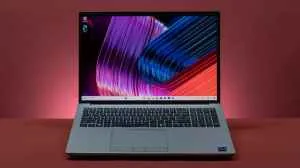
Developer laptops are no longer just about a fast processor because the way they work has shifted. More people are running integrated development environments, testing on virtual machines for development and switching between multiple projects without slowdowns. That changes what a good coding laptop looks like. Most of them need at least 16 GB RAM at a minimum, a fast NVMe SSD for storage and a display that does not strain the eyes during long sessions. Many brands like Apple, Lenovo, ASUS and HP have all made machines this year targeting the full-fledged work of developers. Portability, keyboard quality and thermal management all play a real role in daily use. To find the right fit for your workflow, explore the best coding laptops below.
What To Look For In Laptoos for Coding?
When developers talk about buying a new model, the main conversation always circles back to the same few things: performance under load, how well it handles their stack, and whether it lasts through a full workday. These are daily issues that people have dealt with for years on the wrong machine.
Processor Performance
Ask any experienced developer what feature they check first and the answer is almost always the chip. It can handle compilation tasks, Docker containers and simultaneous IDE processes without the slowdowns that affected older Intel machines.
On the Windows side, AMD Ryzen AI 9 and Intel Core Ultra 9 processors have closed the gap significantly. Models like the Lenovo and ASUS with these chips can handle workloads that would have required a desktop just two years ago.
According to JetBrains' Developer Ecosystem Survey, over 62% of developers said raw processor performance directly impacts how often they get stuck with their machine during work.
RAM Capacity
The old rule of 8 GB being enough is completely outdated now. Running a modern integrated development environment like Android Studio alongside a browser with developer tools, a local database, and a few terminal windows.
Most developers are settling on 16GB as the new requirement, with many opting for 32GB if they work in machine learning, backend systems, or mobile app development with emulators.
Editorial opinion: 16GB will work for most web developers, but if you plan to use your laptop for the next three to four years without upgrades, 32GB future-proofs your setup.
NVMe SSD Storage
This is one area where many buyers still get it wrong. 1TB sounds like more storage than a 512GB SSD but for development work, the speed difference is enormous. NVMe SSDs read and write at speeds that make project loading, Git operations and builds feel instant compared to older drives.
Check out other such articles in our Gadget Zone section.