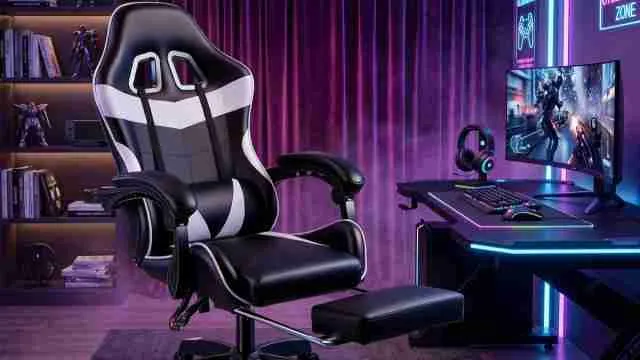
Sitting for eight hours straight during work calls or late night gaming sessions takes a toll on your back faster than most people realise.
A good chair is not a luxury anymore, as it is something your spine genuinely needs if you work from home or game regularly, and brands like Green Soul, Cellbell, GTPLAYER and BAYBEE Drogo have built budget lineups that focus on lumbar support, breathable cushioning, and adjustable armrests.
If you are setting up a home office corner or a PC in your room, then picking the right seating solution changes how your body feels by the end of the day, so explore the best gaming chairs under ₹15,000 below.
Top 10 Gaming Chairs Under ₹15,000 Summary
|
Brand & Model |
Recline |
Weight Capacity |
Warranty |
Best Suited For |
|
Dr Luxur Overpower |
180° recline |
165 kg |
3 Years |
Taller/heavier frames |
|
BAYBEE Drogo (Emperor Wine Red) |
90°–155° recline |
158 kg |
Shorter / Unspecified |
Extra lower-back vibration recovery |
|
VALORXUSA Legion X (2026 Ed.) |
90°–180° recline |
125 kg |
3 Years |
Precise height fit (5'1" to 6'1") |
|
Green Soul Blade |
135°–160° recline |
Not specified |
1 Year |
Users wanting extra seat width |
|
GTPLAYER #1USA (GT800A) |
3-position reclining system |
158 kg |
1 Year |
Dependable, simple comfort |
|
CELLBELL Transformer Lite |
Up to 135° recline with tilt lock |
125 kg |
3 Years |
First-time buyers and students |
|
Casa Copenhagen (LED/Massager) |
Standard recline |
Not specified |
Not specified |
Entertainment-focused setups |
|
DROGO Aura |
90°–165° recline |
120 kg |
1 Year |
Switching smoothly |
|
Vergo Transform Classic |
Single 90° tilt lock |
120 kg |
3 Years |
WFH remote workers prioritising posture |
|
Da URBAN Merlion |
Up to 135° recline |
120 kg |
3 Years |
Budget-conscious buyers wanting reliable ergonomics |
Key Features to Look For in a Budget Gaming Chair (and Why They Matter)
- Lumbar support pillow-
A separate lumbar cushion and not just built in padding makes the biggest difference for lower back pain during long sitting hours
- Recline angle range-
Chairs that recline between 90 and 155 degrees give you flexibility to shift positions through the day which reduces stiffness
- Armrest adjustability-
3D or 4D adjustable armrests let you match elbow height to your desk something fixed armrests never solve properly
- Seat cushioning density-
High density foam holds its shape for years, while cheaper foam flattens out within months of daily use
- Base and wheel quality
A steel five star base with PU casters rolls smoother and lasts longer than the plastic bases found in the cheapest models
The majority of remote workers' complaints about their posture are related to improperly shaped chairs rather than the amount of time they spend sitting and CBPhysiotherapy suggested that you need rgonomic coaching for your office or remote work environment.
Pre-Purchase Inspection Checklist-
- Weight Capacity
Ensure limits exceed your body weight.
- Armrests
Verify adjustability matching your desk height.
- Recline & Tilt
Check backrest angle and lock features.
- Base & Wheels
Prioritise a sturdy steel 5-star base.
- Upholstery
Choose breathable mesh or durable leatherette.
Home Office or Gaming Room, Does the Chair Choice Change
Not really and that is worth clearing up early and the core requirements, lumbar support, adjustable height and breathable material stay the same whether you are closing spreadsheets or finishing a gaming session.
What does change slightly is priority and for home office use, upright posture support and armrest height matter more since you are typing most of the day.
For gaming setups, recline range and headrest comfort take priority since long sessions often involve leaning back between rounds.
A quick way to decide:
- Mostly work from home: prioritise lumbar pillow and armrest adjustability
- Mostly gaming: prioritise recline angle and headrest positioning
- Both equally: pick a hybrid model that balances both needs reasonably well
Check Out More Information on Household Furnishings