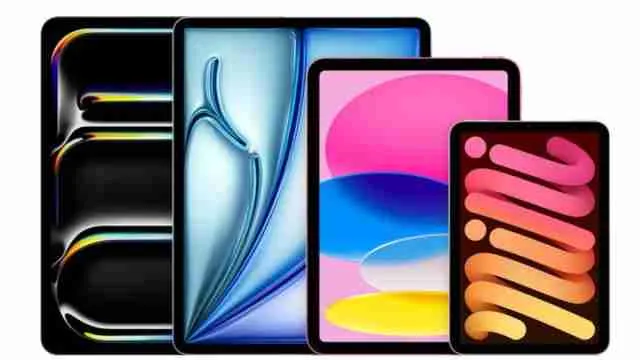
Apple has built several iPads over the years that fit the needs of illustrators, graphic designers and UX designers by offering its own mix of screen size, processing power and display quality suited for serious creative work.
A large format drawing tablet gives designers the space they actually need to sketch, paint and build layouts without constantly pinching and zooming and picking the right one comes down to how you work. This guide breaks down five options worth considering, so check out the best iPad for artists picks below and find the one that fits your workflow.
- Best Overall: iPad Air 11″ (M4)—ideal power and value balance.
- Most Portable: iPad mini (A17 Pro)—compact for quick, on-the-go sketching.
- Top Performance: iPad Pro 11″ (M5)—built for heavy, professional design workflows.
Explore such articles in our Gadget Zone section.
Quick Comparison: Which of These Five Fits Your Creative Style?
Screen size and chip generation matter more than any single feature on their own and a large canvas iPad paired with a stronger chip suits people doing detailed illustration or layout work daily, while a compact model like the mini works best as a companion rather than a primary graphic design tablet.
Choose according to your creative requirements—
How Important Is the M-Series Chip in an iPad for Heavy Creative Applications?
An M-series chip is not just a speed upgrade over the older A series processoer but it will change how the iPad handles large canvases, high resolution brushes and layer heavy files without lag.
Apple's own technical notes describe the M series as bringing "console level graphics performance and a huge leap in machine learning capability" to the iPad, and that shows up in real work.
Brush strokes render instantly and files with 50 or more layers stay smooth, and export times for video and animation projects drop noticeably.
Here is what a stronger chip actually gives a working artist:
- Smoother zooming and panning on large scale illustrations
- Faster handling of PSD files brought over from a desktop
- Better multitasking between reference images and the canvas app
- Reduced heat and exhaustion during long painting or rendering sessions
- Longer software support since Apple ties new iPadOS features to chip generation