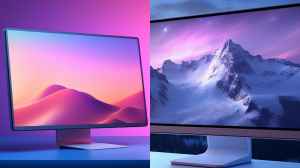
LCD monitors offer better performance when it comes to brightness and vividness, these are also more reliable when it comes to long term value performance when compared to OLED monitors which may face issues with burn-in, this makes them a good choice for you if the requirement is for basic entertainment, casual and business use. OLED display on the other hand provides a fine balance of brightness and contrast which enhances the visual experience all the while providing better color accuracy, but the downside of burn in makes them a less reliable choice for prolonged value. Comparing models from both would give you a clear idea on which would be the right display technology for you, in this comparison of LCD monitor Vs OLED monitor, you may be able to understand which would be the best monitor for your needs.
LCD Monitor Vs OLED Monitor: Which Is The Best Display Technology?
To understand which is the best display technology between LCD and OLED for monitors, comparing models from each is a necessary way of assessing which will be the right choice for immersive viewing. In this face off between LCD monitor Vs OLED monitor, let us compare the performance value to understand which is the best monitor display technology to choose.
Loading...
Loading...
LG 34G600A-B 34-inch Ultragear WQHD (3440 x 1440) Curved Gaming Monitor 160Hz, HDR10, Built-in Speaker, Reader Mode, HDMI 2.1, DisplayPort, Tilt/Height/Swivel Stand
Loading...
The 34 inch size of this monitor with LCD technology comes with QHD Wide 1440p picture resolution and offers a smooth 160 hertz refresh rate for smooth visuals and lag free, stutter free screen transitions. FreeSync technology and HDR10 support in combination ensures optimal performance with display covering a wide colour gamut, bringing in every detail with crisp clarity for precise viewing making it one of the best LCD monitors to choose for entertainment, gaming and business use. The sleek design is easy to install and features a slim bezel on the three sides of the monitor which makes viewing even more refined. Integrated with 5W x 2 stereo speakers, optimized with MaxxAudio makes the experience of gaming feel smooth, immersive and entertaining. In addition to all these features comes the AMD FreeSync Premium with 1ms Motion Blur Reduction making sure that the performance is fluid and super smooth.
Performance Value Comparison With Alienware 34" Curved QD-OLED Gaming Monitor
The LCD monitor from LG is an inexpensive choice when compared to Alienware 34" Curved QD-OLED Monitor and lacks some features but at its pricing offers value for money. The LG monitor balances color and visual accuracy in the right measure to make its use feel worth investing in.
Specifications:
- Brand:LG
- Screen Size:34 Inches
- Image Brightness:240 Candela
- Response Time:1 Milliseconds
- Viewing Angle:178 Degrees
Reasons to buy:
✓Smooth and fluid visuals with high refresh rate.
✓Sleek space saving design.
✓Vivid brightness.
✓Curved monitor.
Reason to avoid:
✗None.
01Loading...
Loading...
Alienware 34" (86.36 cm) Curved QD-OLED Gaming Monitor-AW3423DWF, WQHD 3440x1440 (DP Port:165Hz, HDMI:100Hz), HDMI, 2 xDP Port 1.4, 5 xSuperSpeed USB 3.2 Gen1, Headphone-Out Port.
Loading...
Powered with the dynamic Quantum Dot Display Technology this monitor provides a rich, refined and detailed experience of viewing, colour vibrancy and precision in every frame. Optimal brightness and balanced contrast with the support of a wide range of colour gamut makes the gaming monitor offer the most life-like visuals. The 34 inch screen size is also appropriate for gaming and business use, it can be a good choice for other entertainment purposes as well. AMD FreeSync Premium Pro with VESA AdaptiveSync Display ensures that the game play happens in a smooth and fluid motion without any lag exhibiting a low latency performance and making it one of the best OLED monitors to choose in the mid range pricing, since other options are quite expensive. Some additional features of the monitor include 360° ventilation to help vent off heat properly, centralized On-Screen Display (OSD) joystick for convenience of use.
Performance Value Comparison With Lenovo Legion R27fc-30, 27 Inch Gaming Monitor
The Alienware monitor with a 34 inch screen and OLED display technology backed with QD support makes display performance advanced and super refined and rich when compared to the Lenovo monitor, which may lack in performance but still is a good choice for gaming within a budget.
Specifications:
- Brand:Alienware
- Screen Size:34 Inches
- Hardware Connectivity:DisplayPort, HDMI, USB 3.2 Gen 1
- Response Time:0.1 Milliseconds
- Viewing Angle:178 Degrees
Reasons to buy:
✓Wide color gamut support.
✓Flexible screen tilt and adjustment.
✓Adaptive thermals and enhanced cooling.
✓Supports low latency gaming.
Reason to avoid:
✗None.
02Loading...
Loading...
Lenovo Legion R27fc-30, 27 Inch (68.58cm), FHD 1920x1080, 240Hz, Black, 0.5ms, AMD FreeSync, 99% sRGB, Speaker, 2xHDMI, 1xDP, Tilt, Swivel, Pivot, Height Adjust Stand Gaming Monitor
Loading...
This 27 inch LCD monitor from Lenovo is capable of offering a vivid display experience as it features curved structure with FHD 1080p resolution, compatible with 99% sRGB, 90% DCI-P3 color gamut support and 350 nits brightness with an anti glare coating helps it give a complete performance with enhanced efficiency and makes it one of the best Lenovo monitors to consider at an affordable pricing, given its 27 inch screen size. AMD Radeon series graphics card with AMD FreeSync technology makes the monitor capable of performing for high value lag free use and makes it one of the best gaming monitor options. Lenovo Smart Artery Software with the monitor optimizes the performance and makes the performance work in sync with your usage pattern, it also supports Windows 10 & 11, Mac OS, and Windows On Arm.
Performance Value Comparison With ViewSonic VA2732-H 27-inch Monitor
The ViewSonic VA2732-H 27-inch monitor is a good choice for basic everyday use and does not come with many features or a technical design that can support heavy gaming, when compared to Lenovo Legion R27fc-30, 27 Inch gaming monitor, it is more suited for business use or basic working needs.
Specifications:
- Brand:Lenovo
- Screen Size:27 Inches
- Image Brightness:350
- Mounting Type:Desk Mount
- Aspect Ratio:16:9
Reasons to buy:
✓Low blue light emission.
✓1500R curvature.
✓Dual built in speakers.
✓High definition display resolution.
Reason to avoid:
✗Issues with screen flicker.
03Loading...
Loading...
ViewSonic VA2732-H 27-inch (68.58cm) FHD 1920 x 1080p IPS Monitor |100 Hz | 1ms |Frameless | Flicker Free | sRGB 109% | Tilt | HDMI, VGA |Mac Compatible
Loading...
The 27 inch screen comes with Full HD IPS Display with OLED technology including a 1920 x 1080 resolution front that provides sharp and clear viewing experience perfect for any sort of visual use. It features a 100Hz refresh rate and 1ms (MPRT) response time which makes it a good choice for work, entertainment and light gaming. The support of Flicker-Free technology and a Blue Light Filter makes the monitor capable of comfortable use, it reduces the strain on the eyes and makes sure that engagement for a prolonged session is easy. Slim and sleek bezel cover and a frameless design makes the monitor’s performance immersive. 250 cd/m² brightness and 1000:1 static contrast ratio makes the screen offer a great viewing experience ensuring that display performance is on point for basic everyday use. It also consumes less energy for functioning and offers a good range of connectivity options such as HDMI and VGA inputs. Installation and placement of the monitor is easy and can be wall mounted as well helping with space efficiency.
Performance Value Comparison With BenQ PV3200U 32” 4K UHD Monitor
The screen size of the Benq monitor is more vivid and sharper when compared to the ViewSonic LCD monitor, this makes it a reliable choice for creative work and support. The Benq monitor is a good choice for creative professionals to opt while the Viewsonic model is more aligned for casual use.
Specifications:
- Brand:ViewSonic
- Screen Size:27 Inches
- Image Brightness:250
- Mounting Type:Desk Mount
- Pixel Pitch:0.311
Reasons to buy:
✓ViewMode optimized settings.
✓Low energy consumption.
✓Low blue light screen performance.
✓Slim bezel design.
Reason to avoid:
✗None.
04Loading...
Loading...
BenQ PV3200U 32 4K UHD Monitor for Video Editing, 95% DCI-P3, 100% Rec.709/sRGB, 2.1ch Speakers, 65W USB-C, Factory-Calibrated, Software Calibration, Ergonomic Stand
Loading...
This is an LCD monitor that comes in the 32 inch screen size and 100% sRGB and 95% P3 colour gamut support which make the visuals on the screen feel real, life-like and vibrant. Wireless Hotkey Puck gives you an idea on how different colour modes would affect the visuals and display performance of the monitor. For clear listening experience the monitor also comes integrated with built-in speakers that have a 2.1 channel configuration, it ensures proper separation of voice with sound delivering optimal performance efficiency and making it one of the best BenQ monitor options to choose with LCD display technology. The design and structure of the monitor provides the ease of full tilt, swivel, pivot, and height adjustments for ergonomic viewing. With the help of the all in one USB-C connection, the ease of transferring images and videos can happen at a good speed.
Performance Value Comparison With Samsung 32" Odyssey G8 QD-OLED 4K Gaming Monitor
When comparing Benq LCD monitor with the Samsung’s premium OLED monitor the performance value of both options stands at an appropriate balance which makes the former a good choice given the affordable price point it is available in as compared to the latter. The Samsung monitor is more in sync with gaming needs while the Benq option is better for creative work.
Explore such articles in our Gadget Zone section.
Specifications:
- Brand:BenQ
- Response Time:5 Milliseconds
- Aspect Ratio:16:9
- Hardware Connectivity:3.5mm Audio, HDMI, Headphone, USB Type C
- Image Brightness:350
Reasons to buy:
✓Maintains colour consistency with every frame.
✓Faster image and video transfer ease.
✓Mobile devices color preview.
✓Built with a 2.1 channel speaker system.
Reason to avoid:
✗None.
05Loading...
Loading...
Samsung 32"(80cm) Odyssey G8 QD-OLED 4K Gaming Monitor| UHD 3840 x 2160| 240Hz| 0.03ms| HDR True Black 400| OLED Safeguard+| FreeSync Premium Pro
Loading...
This is a premium OLED monitor that combines both Quantum Dot technology of display with OLED brilliance for sharp and crystal clear viewing. The 32 inch screen size is a good option for gaming needs and it comes with 3840 x 2160 picture resolution along with a smooth 240 hertz refresh rate that ensures a lag free performance. Glare free viewing that does not strain the eyes and AMD FreeSync Premium Pro support in addition to VESA Display and HDR TrueBlack 400 helps the visuals to appear clear and sharp. This OLED display also comes with a good range of connectivity options which makes the initial setup and installation of the monitor easy. With the help of the dynamic cooling system this monitor ensures optimal performance and provides the right balance of brightness and contrast delivering a high quality viewing experience fitting for clear viewing.
Performance Value Comparison With LG 34G600A-B 34-inch Ultragear WQHD Monitor
Both the LG and the Samsung monitor are designed for gaming but the Samsung model is a more feature rich and advanced option to choose that justifies its high end and expensive price point. LG being the LCD monitor offers better performance with maintaining optimal brightness while the latter Samsung OLED monitor is capable of ensuring a more refined colour accuracy with the perfect balance of brightness and contrast delivery making the viewing experience more enhanced and appropriate for gaming.
Specifications:
- Brand:Samsung
- Screen Size:32 Inches
- Display Technology:4K, Glare Free, OLED
- Aspect Ratio:16:9
- Image Brightness:250 Candela
Reasons to buy:
✓Premium design.
✓Feature rich.
✓Screen saver option.
✓Dynamic cooling system.
Reason to avoid:
✗None.
06Loading...
LCD Monitor Vs OLED Monitor Comparison Table: Which Offers The Best Monitor?
| Monitors | Resolution | Refresh Rate | Color and Image Technologies | Best For |
| LG 34G600A-B 34-inch Ultragear Monitor | QHD Wide 1440p (3440×1440) | 160 Hz | HDR10, AMD FreeSync Premium. | Mid-range gaming and work. |
| Alienware 34" Curved QD-OLED Gaming Monitor | WQHD (3440×1440) | 100 Hz | Quantum Dot, DCI-P3 99.3%, FreeSync Premium Pro. | Premium gaming visuals. |
| Lenovo Legion R27fc-30, 27 Inch Gaming Monitor | FHD 1080p | 240 Hz | 99% sRGB, 90% DCI-P3, FreeSync. | Budget curved gaming. |
| ViewSonic VA2732-H 27-inch Monitor | FHD 1080p | 75 Hz | SuperClear IPS, Blue Light Filter | Work and light gaming. |
| BenQ PV3200U 32” 4K UHD Monitor | 4K UHD (2160p) | 60 Hz | True Colour Accuracy, Eye-Care. | Creative professionals and work. |
| Samsung 32" Odyssey G8 QD-OLED 4K Gaming Monitor | 4K UHD (2160p) | 240 Hz | HDR10 Gaming, True Black 400. | High-end competitive gaming. |
Read More: 5 Best 34 Inch Curved Monitor For An Ultra Classic & Wider View!
Disclaimer: At HerZindagi, we prioritize providing the up-to-date information on the latest trending commodities and goods. This Article is written and vetted by our in-house category authors in sync with the Google guidelines on product reviews and shoppable content. HerZindagi is in an associate partnership, so we may earn a part of the revenue when you make a purchase. We shall not be liable for any claim under applicable laws, including but not limited to the Consumer Protection Act, 2019, concerning the products. The products listed in this article are in no particular order of priority.
Loading...
Loading...
Faq's
- What is the main advantage of OLED over LCD?+The main advantage that an OLED screen has over an LCD screen is superior contrast ratio and deeper blacks due to self-emissive pixels, which makes the visuals appear more refined, crisp, sharp and detailed.
- Is OLED burn-in a major concern in modern OLED monitors?+Modern OLED monitors have implemented burn-in mitigation techniques, but the risk still exists with static elements displayed for extended periods.
- Are OLED monitors worth the extra cost?+It depends on your needs and budget. For enthusiasts and professionals who value image quality, OLED is often worth it. LCDs offer better value for everyday use.