10 Best Monitors Of 2026 Under ₹30000 For 4K Displays And High Productivity

The best monitors under ₹30000 give sharper text, more screen space, and better multitasking for work from home setups, and I have curated 4K displays from trusted brands that suit coding, editing and everyday office tasks without any hassle and confusion.

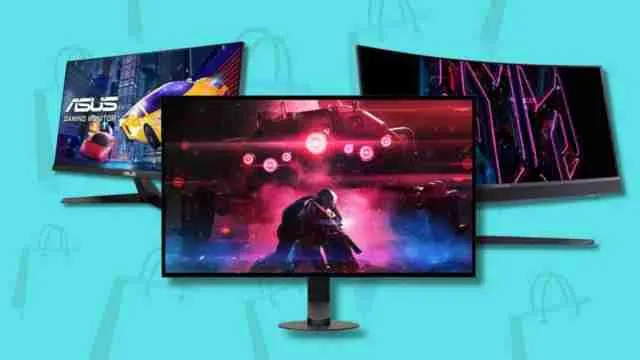
Best Monitors Of 2026 Under ₹30000 For 4K Displays | Image Source: Pinterest

As we know, the best-rated monitors under ₹30000 must have a screen resolution that quietly shapes how tiring or comfortable a full workday feels, and anyone who has an issue with their eyes must know the difference a sharper, wider screen makes by giving you extra space to do relaxing work. That is exactly where 4K displays have changed the scenario for home offices and small studios across India.

This list has options from top-selling monitors to premium ones that are packed with UHD clarity, useful ergonomics, and dependable build quality within a sensible budget and brands like Dell, LG, Samsung, ASUS, BenQ, Acer, MSI, Zebronics, and Lenovo that balance display technology advancements with pricing that fits a remote worker's actual budget.

Top 5 Picks From This List:

Explore more from our gadget zone section.

Loading...

Vetted Options

Every product we recommend is carefully selected through a thoughtful blend of primary research and in-depth analysis of trusted sources.

  • QHD Wide 1440p

    Dell S2725DC 27 QHD Monitor

    At a Glance

    • 27 inch QHD IPS panel with 144 Hz refresh
    • Single USB-C cable with 65W power delivery
    • Built in dual speakers and TUV 4 star eye comfort

    The Desk Monitor That Clears Your Cable Mess!

    Anyone who has dealt with a tangle of cables under their desk will appreciate what this Dell monitor solves and a single USB-C cable handles video, data and charging together so a laptop connects and charges from one wire instead of three. 

    The screen itself feels equally suited to handle multiple heavy spreadsheets and multiple video call in the evening since the sharp QHD picture keeps small text readable during long stretches. 

    Multitasking window layouts save time for anyone juggling several apps at once, which cuts down the manual resizing that eats into a workday.

    Pro Tip

    Route the single USB C cable through a desk grommet early since it genuinely replaces three separate cables once set up properly.

    Specifications:

    • Brand: Dell
    • Model: S2725DC
    • Colour: Ash White
    • Warranty: 3 Year
    • ASIN: B0FQ5B9BB1

    Reasons to buy:

    ✓Single cable setup

    ✓Sharp QHD detail

    Reason to avoid:

    ✗Single HDMI port

    01
  • 180 Hz Refresh Rate

    LG 27GS60QC Ultragear Curved QHD Gaming Monitor

    At a Glance

    • 27 inch curved QHD panel with 1000R curvature
    • 180 Hz refresh rate
    • 1 ms response time
    • Auto Input Switch
    • On Screen Control software

    A Curved Screen That Doubles as a Work Companion!

    Working long hours in front of a flat monitor can leave the edges of the screen feeling slightly difficult for focusing and this LG monitor's curve fixes that naturally, which keeps every part of the screen at a similar distance from your eyes. 

    It works just as well switching between a coding window and a browser tab as it does for weekend gaming, making it a genuinely dual purpose pick rather than one built only for a single use case. 

    The auto input switching also means less fumbling with cables when moving between a laptop and a desktop throughout the day and for someone who wants top rated monitors that handle both work and downtime, this LG earns its place.

    Pro Tip

    Use OnScreen Control to save separate profiles for work and gaming, so switching between the two takes one click instead of manual adjustments.

    Specifications:

    • Brand: LG
    • Model: 27GS60QC-BATRQ
    • Colour: Black
    • Warranty: 3 Year Parts and Labour
    • ASIN: B0DMS8VK96

    Reasons to buy:

    ✓Curved immersive screen

    ✓Auto input switching

    Reason to avoid:

    ✗VA panel angles

    02
  • Our Core Values

    Transparent, Honest Reviews

    We provide straightforward insights into each product's strengths and weaknesses, so you can make confident, informed decisions.

    Trusted Brands Priority

    We focus on products from reliable brands known for quality, consistency, and customer satisfaction.

    Smarter Value for Your Money

    We highlight products that strike the perfect balance between cost, quality, and performance, so you get true value without the extra cost.

  • Full HD gaming monitor

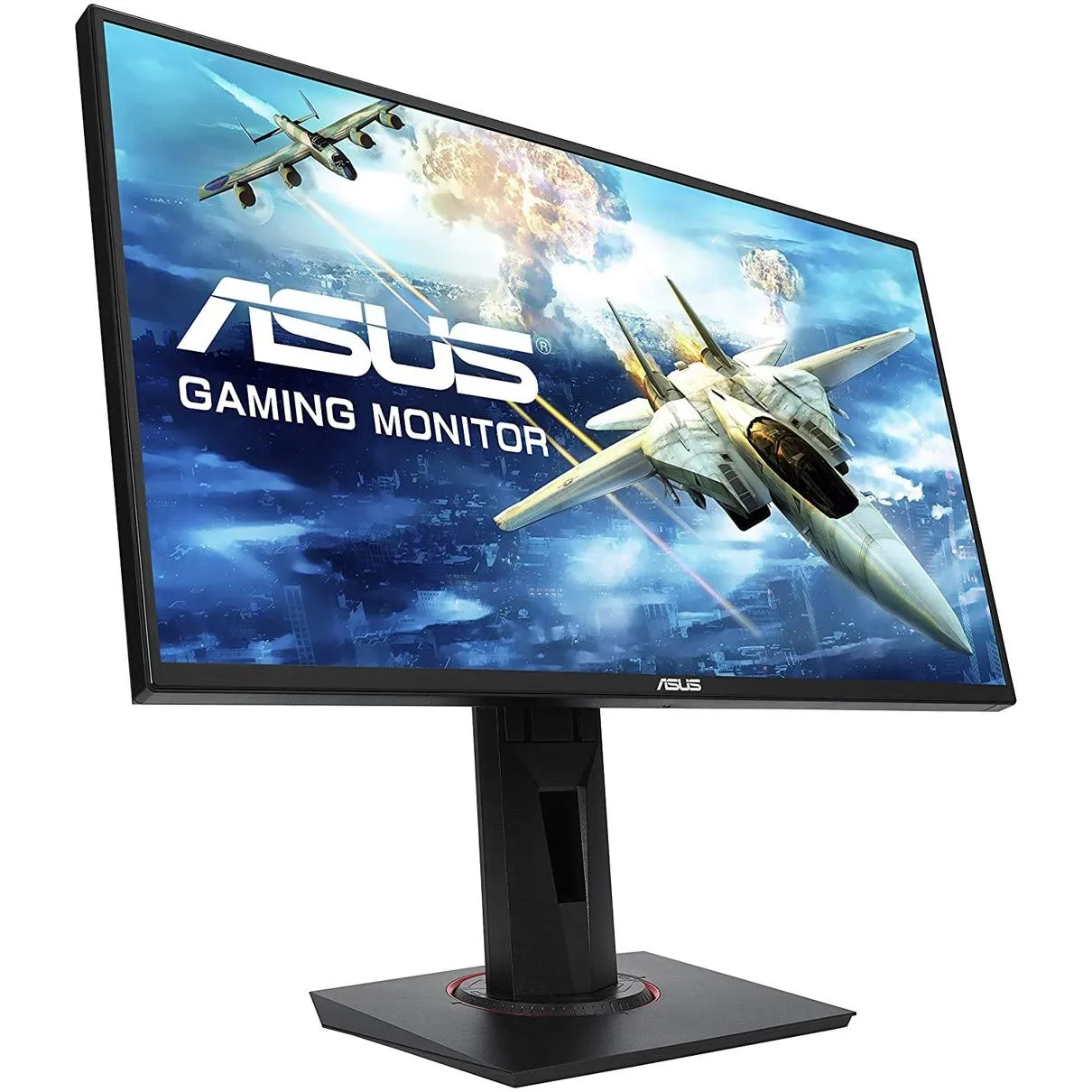
    ASUS - Vg258Qr Full Hd Gaming LCD Monitor

    At a Glance

    • 24.5 inch FHD panel with 165 Hz refresh rate
    • 0.5 ms response time and G Sync Compatible
    • Compact base with tilt, swivel, pivot adjustment

    One Of The Best Picks For Speed-Focused Users!

    This ASUS monitor is compact but has high-performance quality, like sitting comfortably even on smaller tables while still delivering fast, tear free motion for everyday work and quick tasks alike. 

    The fully adjustable stand means it can be raised, tilted or rotated to match whatever chair and desk combination someone is working with which matters more than people usually realise until their neck starts aching from a fixed angle. 

    It will suit anyone comparing best selling monitors who wants dependable performance without paying for features they will not use.

    Pro Tip

    Use the main function to rotate the screen vertically when reading long documents or reviewing code line by line.

    Specifications:

    • BrandASUS
    • Model: VG258QR
    • Colour: Black
    • Warranty: 3 Years
    • ASIN: B07KJ67Y3K

    Reasons to buy:

    ✓Compact desk footprint

    ✓Full stand adjustability

    Reason to avoid:

    ✗FHD not QHD

    03
  • Resolution VA Monitor

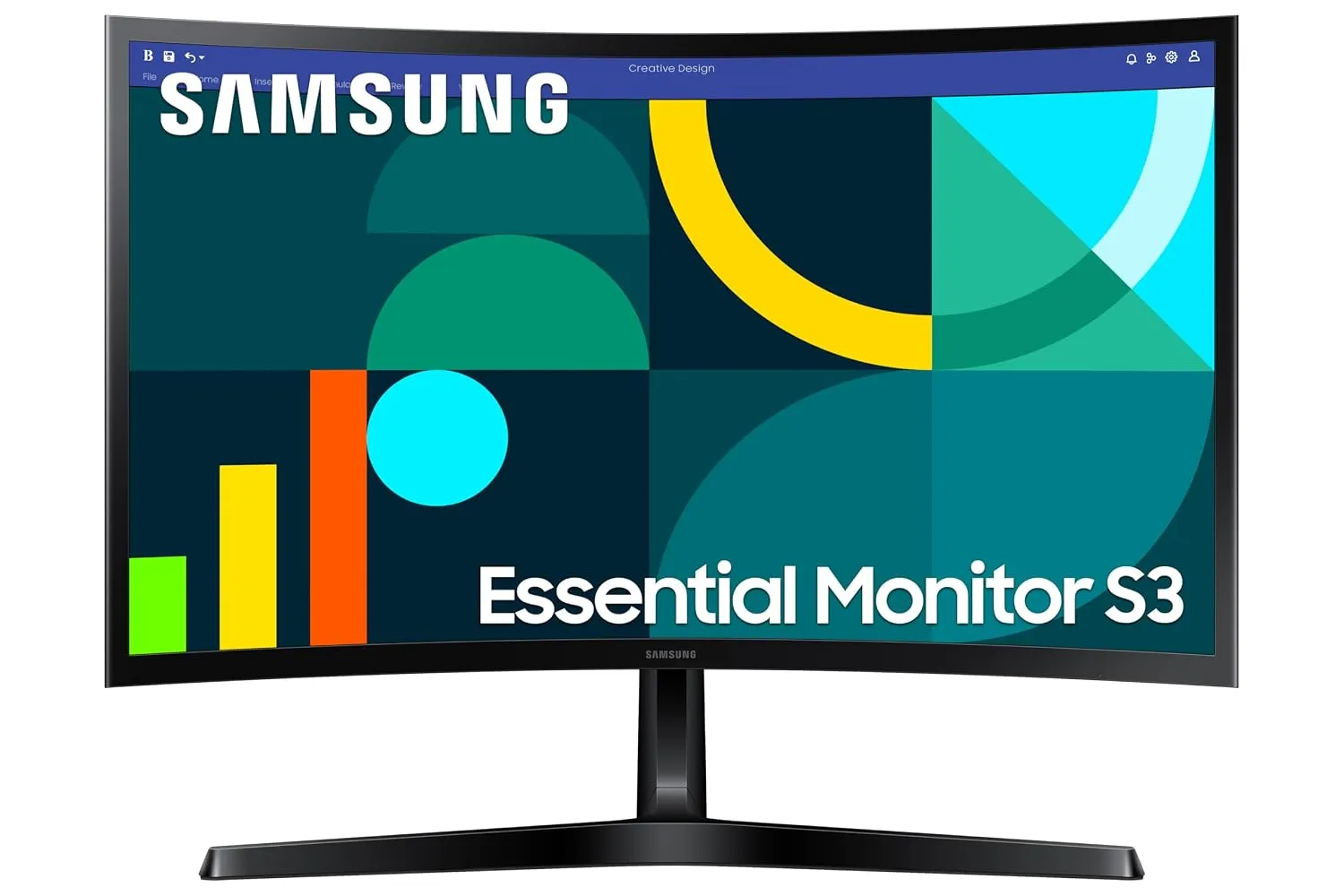
    Samsung 24 Curved Monitor

    At a Glance

    • 24 inch curved FHD panel with 1800R curvature
    • 100 Hz refresh rate, Eye Saver Mode
    • Simple HDMI and D Sub connectivity

    Built for a Comfortable And Uncomplicated Setup!

    Some workdays call for a model that simply works without extra setup steps and this Samsung monitor fits that need well. 

    The gentle curve keeps focus centred without feeling dramatic like the deeper curves on larger screens, which makes it approachable for someone upgrading from a flat monitor for the first time. 

    Eye Saver Mode simply reduces the tired, dry feeling that builds up after back to back calls which matters for anyone spending most of their day in front of a screen and it will stand out among top monitors for people who want dependable comfort features without a steep learning curve on settings.

    Pro Tip

    Turn on Eye Saver Mode by default for indoor lighting then switch it off only when reviewing color accurate work like photos. 

    Specifications:

    • Brand: Samsung
    • Model: LS24D368GAWXXL
    • Colour: Black
    • Warranty: 3 Year
    • ASIN: B0H41RFDGM

    Reasons to buy:

    ✓Easy setup process

    ✓Reduced eye fatigue

    Reason to avoid:

    ✗FHD resolution only

    04
  • Fast IPS panel

    Alienware AW2525HM 25 Gaming Monitor

    At a Glance

    • 25 inch FHD Fast IPS panel with 320Hz refresh
    • 0.5ms GTG response time
    • Small footprint base with headset hanger

    Where Speed Meets a Clean Desk Look!

    Desk space is often the real constraint people run into and not performance and this Alienware monitor respects that with a notably small base that frees up room for a keyboard, notebook or coffee cup!

    The retractable headset hanger is a small touch that ends up mattering daily which keeps a desk looking tidy instead of cluttered with hanging cables and headsets. 

    Fast IPS technology keeps the picture looking consistent even when viewed slightly off centre which helps when a second person glances over during a shared screen moment and for anyone hunting through best rated monitors that balance speed with a genuinely clean desk setup, this one holds its own.

    Pro Tip

    Use the built in headset hanger from day one as it is a small habit that keeps the desk noticeably tidier over time. 

    Explore more from the HZ Your Picks section.

    Specifications:

    • Brand: Alienware
    • Model: AW2525HM
    • Colour: Black
    • Warranty: 3 Year
    • ASIN: B0FH5NMXHK

    Reasons to buy:

    ✓Small desk footprint

    ✓Consistent IPS viewing

    Reason to avoid:

    ✗No built in speakers

    05
  • VIVID DISPLAY

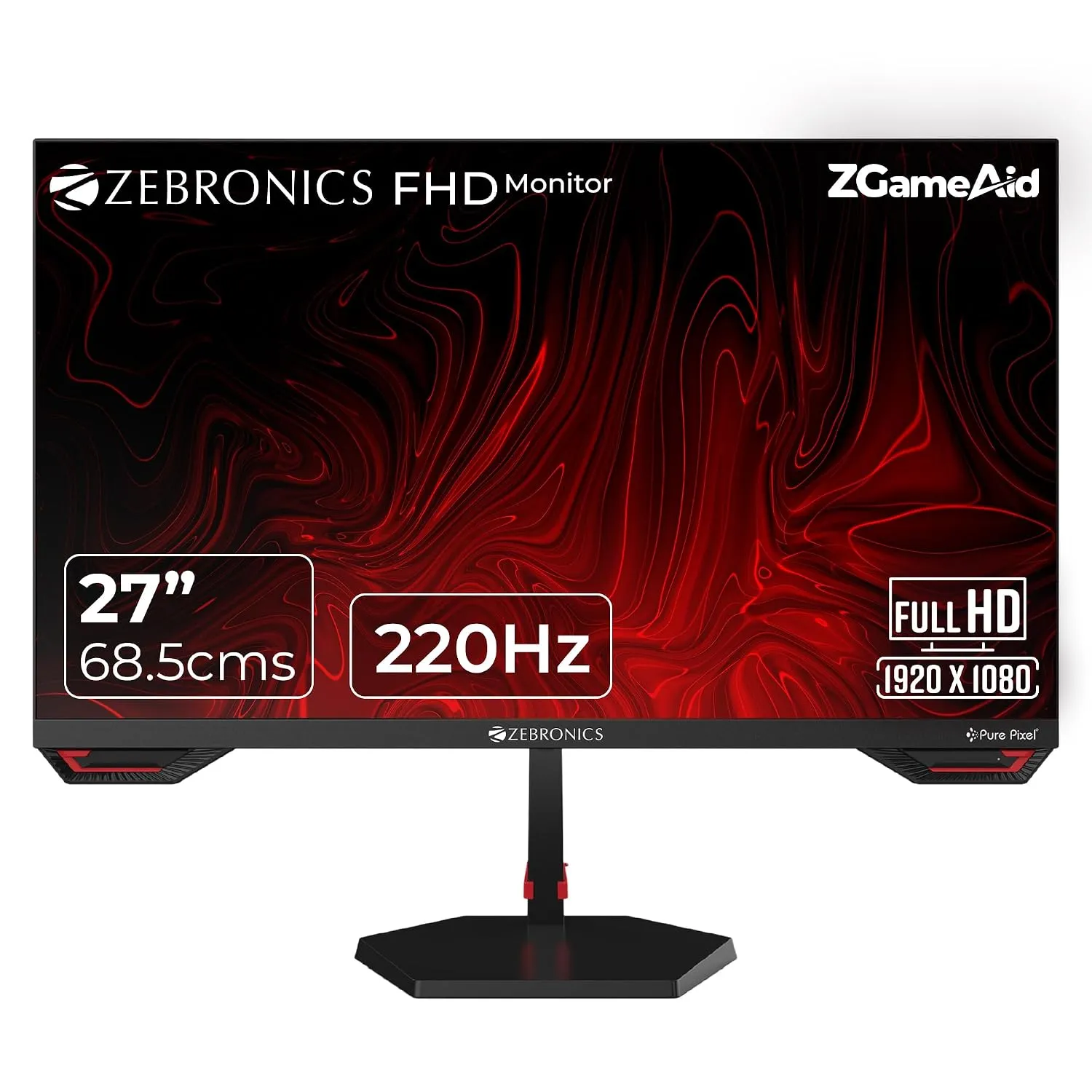
    Zebronics S27A 27 Gaming Monitor

    At a Glance

    • 27 inch FHD Fast IPS panel with 220Hz refresh
    • Built in speakers and bezel-less design
    • ZGameAid overlay tools, wall mountable

    This Budget Monitor Gives You Full-Fledged Performance

    There was a time when a budget option meant compromising on almost everything but this Zebronics monitor changes that expectation. 

    It packs a fast IPS panel and a genuinely high refresh rate into a price bracket that used to only get basic displays and the bezel less design makes it look far more premium than its price suggests when placed next to two other screens for a multi monitor setup. 

    Built in speakers mean fewer cables cluttering the desk for casual use and the anti glare coating keeps eyes comfortable through long stretches near a window. 

    Pro Tip

    Pair it with a simple monitor arm if the included stand feels too basic for a permanent desk setup. 

    Specifications:

    • Brand: Zebronics
    • Model: S27A
    • Colour: Black
    • Warranty: 1 Year
    • ASIN: B0FH71VR4X

    Reasons to buy:

    ✓Strong value pick

    ✓High refresh rate

    Reason to avoid:

    ✗Shorter 1 year warranty

    06
  • WIDE COLOR GAMUT

    MSI MAG 255F E20 24.5-Inch FHD Gaming Monitor

    At a Glance

    • 24.5 inch FHD Rapid IPS panel
    • 200Hz refresh, less blue light certified
    • AI Vision smart tuner and HDMI CEC support

    Reliable Enough for All Day Screen Time!

    Screens that stay comfortable through a full workday matter more than most features let on and this MSI monitor handles that quietly well. 

    The panel's TUV certified low blue light mode noticeably reduces the tired feeling that builds up after hours of reading and scrolling and it will suit someone juggling office work through the day and a few relaxed gaming sessions in the evening, since the same screen handles both without any real compromise. 

    Pro Tip

    Turn on the low blue light mode by default during work hours and switch back only for color sensitive tasks.

    Specifications:

    • BrandMSI
    • Model: MAG 255F E20
    • Colour: Black
    • Warranty: 3 Year Manufacturer
    • ASIN: B0DQP36N7T

    Reasons to buy:

    ✓Certified eye comfort

    ✓Frameless build quality

    Reason to avoid:

    ✗Basic tilt stand

    07
  • 27-inch Curved FHD

    Lenovo Legion R27fc-30 Gaming Monitor

    At a Glance

    • 27 inch curved FHD VA panel, 240Hz refresh
    • Lenovo Smart Artery self-learning display software
    • Split screen multitasking built in

    A Curved Screen Built for Marathon Sessions

    Long working hours feel different on a curved screen and this Lenovo monitors leans into that comfort factor with software that quietly adjusts to how it is actually used. 

    Smart Artery learns usage patterns over time and adapts display settings without needing constant manual tweaks which saves a surprising amount of friction across a busy week. 

    The split screen multitasking tools also help anyone comparing documents side by side, cutting down the back and forth of alt tabbing between windows. 

    Pro Tip

    Let Smart Artery run for a week before adjusting settings manually since it takes a few days to learn your actual usage pattern. 

    Specifications:

    • Brand: Lenovo
    • Model: R27fc-30
    • Colour: Black
    • Warranty: 3 Year Manufacturer
    • ASIN: B0CV4BTBX8

    Reasons to buy:

    ✓Smart adaptive software

    ✓Wide color coverage

    Reason to avoid:

    ✗Glossy screen glare

    08
  • 10-Point Multi-Touch Experience

    Acer UT272 27-Inch Touch Screen Monitor

    At a Glance

    • 27 inch FHD IPS touchscreen with 10-point multi-touch
    • 7H scratch resistant glass surface
    • 70 degree ergonomic tilt range

    When Touch Screen Makes Sense for Daily Work!

    Not every workflow benefits from a mouse and keyboard alone and this Acer touchscreen monitor fills that specific gap well. 

    It suits presentations, design reviews or any collaborative work where pointing directly at the screen speaks faster than describing it verbally and the scratch resistant glass holds up to daily touch use without showing wear the way a standard screen would which matters in shared office spaces or classrooms. 

    Pro Tip

    Clean the glass with a microfiber cloth only since rougher materials can dull the anti scratch coating over time. 

    Specifications:

    • Brand: Acer
    • Model: UT272
    • Colour: Black
    • Warranty: 3 Year Manufacturer
    • ASIN: B08334VFQQ

    Reasons to buy:

    ✓Genuine touch interaction

    ✓Scratch resistant surface

    Reason to avoid:

    ✗Lower 75Hz refresh

    09
  • Ultra-Fast 320 Hz Refresh Rate

    Predator XB253Q F3 24.5 Inch IPS FHD Gaming Monitor

    At a Glance

    • 24.5 inch FHD IPS panel, 320 Hz refresh rate
    • ErgoStand with full height, tilt, swivel, pivot
    • Acer VisionCare eye protection suite

    Fast Enough to Change How You Multitask!

    Speed is not only useful for gaming, quick screen response also makes everyday scrolling and window switching feel noticeably snappier. 

    This Predator monitor brings that fast, fluid feel to daily computer use whether that means flipping through browser tabs or reviewing a long document and the ErgoStand adjusts in every direction which genuinely helps anyone who switches between sitting and standing through the day.

    Pro Tip

    Set the ErgoStand height once at proper eye level and mark the position since the range is wide enough to drift out of place over time.

    Specifications:

    • Brand: Acer
    • Model: XB253Q F3
    • Colour: Black
    • Warranty: 3 Year Manufacturer
    • ASIN: B083FQ83WB

    Reasons to buy:

    ✓Extremely fast refresh

    ✓Full stand adjustability

    Reason to avoid:

    ✗Premium pricing tier

    10

Is a 4K Monitor Truly Necessary for Increased Productivity?

This is the question most people skip past while shopping and it deserves a proper answer before spending on any 4K productivity monitor.

The honest answer is that it depends properly on what fills your workday and for coding, design, spreadsheet heavy work or anything involving multiple open windows 4K resolution genuinely changes the experience. 

You get noticeably more usable screen space without needing a physically larger desk setup since text and icons stay sharp even when scaled down to fit more on screen at once.

  • Coders and developers benefit from fitting two or three code panes side by side without either becoming unreadable.
  • Designers and video editors get finer detail for color grading and layout work, where a lower resolution display can hide small flaws
  • Writers and researchers benefit less dramatically, though sharper text does reduce eye strain over long sessions
  • Casual users doing email, browsing or basic office work may find 4K overkill, since the difference in daily comfort is smaller than the price jump suggests.

Complete Comparison: All 10 Best Monitors Of 2026 Under ₹30000

Simply choosing the right 4K top monitors under ₹30000 comes down to matching resolution with your actual workload for their own sake, as coders, designers and multitaskers get real value from the extra screen, while casual users may not need to spend that much. 

So by analysing each feature of these options, you will write one for yourself.

Monitor

Refresh Rate

Resolution

Panel Type

Best Suited For

Dell S2725DC

144Hz

QHD

IPS

Single cable desk setups

LG 27GS60QC

180Hz

QHD

VA

Dual purpose work and gaming

ASUS VG258QR

165Hz

FHD

TN

Compact desks, fast response

Samsung LS24D368GAWXXL

100Hz

FHD

VA

Comfortable everyday setups

Alienware AW2525HM

320Hz

FHD

Fast IPS

Clean desk, high speed needs

Zebronics S27A

220Hz

FHD

Fast IPS

Budget conscious buyers

MSI MAG 255F E2

200Hz

FHD

Rapid IPS

All day eye comfort

Lenovo Legion R27fc-30

240Hz

FHD

VA

Adaptive multitasking software

Acer UT272

75Hz

FHD

IPS Touch

Touch based collaborative work

Predator XB253Q F3

320Hz

FHD

IPS

Fast, fluid daily multitasking

FAQs

Q1 Is a 4K monitor worth it for everyday office work? 

For basic browsing, email and documents a 4K monitor is often more than needed and it genuinely helps with coding, design and detailed spreadsheet work but casual users may not notice enough daily benefit to justify the extra cost over FHD or QHD options.

Q2 What screen size works best for 4K monitors under this budget? 

27 to 32 inches is the sweet spot for most desks and anything smaller makes UHD detail hard to appreciate without scaling text uncomfortably small, while larger screens need more desk depth and proper eye level positioning to stay comfortable through the day.

Q3 Does monitor calibration matter for productivity use? 

Yes, especially for design or photo work and factory calibrated panels with accurate sRGB coverage reduce the need for manual colour adjustments and ensure what you see on screen matches how it will look elsewhere saving rework time later.

Q4 Can these monitors handle both work and light gaming? 

Most budget 4K displays in this range support decent refresh rates and adaptive sync making them capable of handling casual gaming alongside daily productivity tasks though dedicated gaming monitors will still offer smoother competitive performance.

Q5 How much desk space does a 4K monitor actually need? 

A 27 inch model needs roughly 60 to 65 cm of desk width including the stand base while 32 inch panels need closer to 70 cm and measuring your desk before buying avoids a cramped setup once the monitor arrives.

Disclaimer: At Her Zindagi Your Picks, we prioritize providing up-to-date information on the latest trending commodities and goods. Links in this article are affiliate links. Please note that our product recommendations are based on independent research and analysis however, Her Zindagi Your Picks shall not be held liable for any claims, damages, or disputes arising under applicable laws, including the Consumer Protection Act, 2019. Any issues regarding product quality, delivery, or warranties must be directed to the respective manufacturer or seller. Furthermore, the products featured in this article are organized for reader convenience and are listed in no particular order of priority or ranking.

Loading...
Loading...